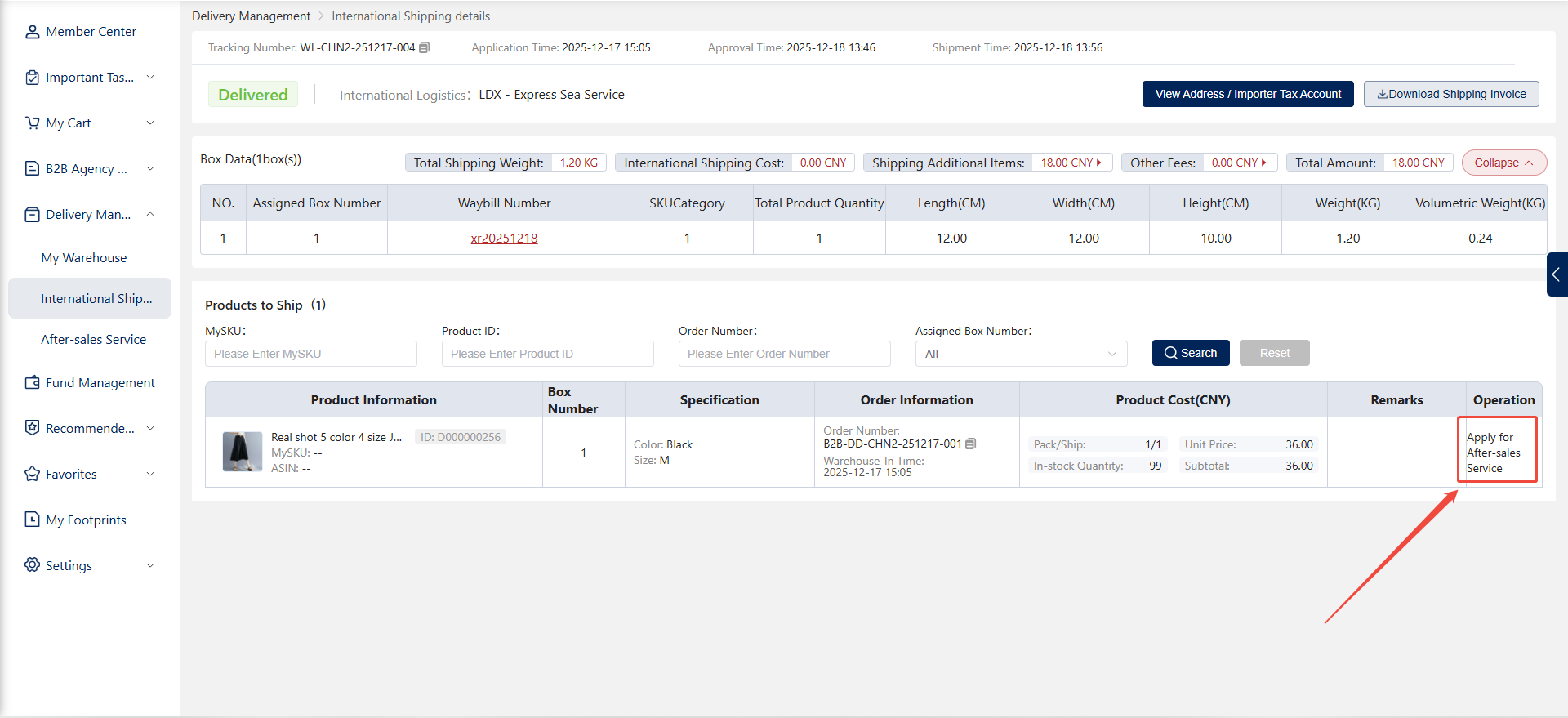


Step 1: Access the International Shipping Interface
1. Log in to the system: Go to the main system page and click "Personal Center" in the right-hand navigation.
2. Access the International Shipping interface: Within Personal Center, select "Shipping & Distribution" > "International Shipping" to view newly created and historical shipping orders.
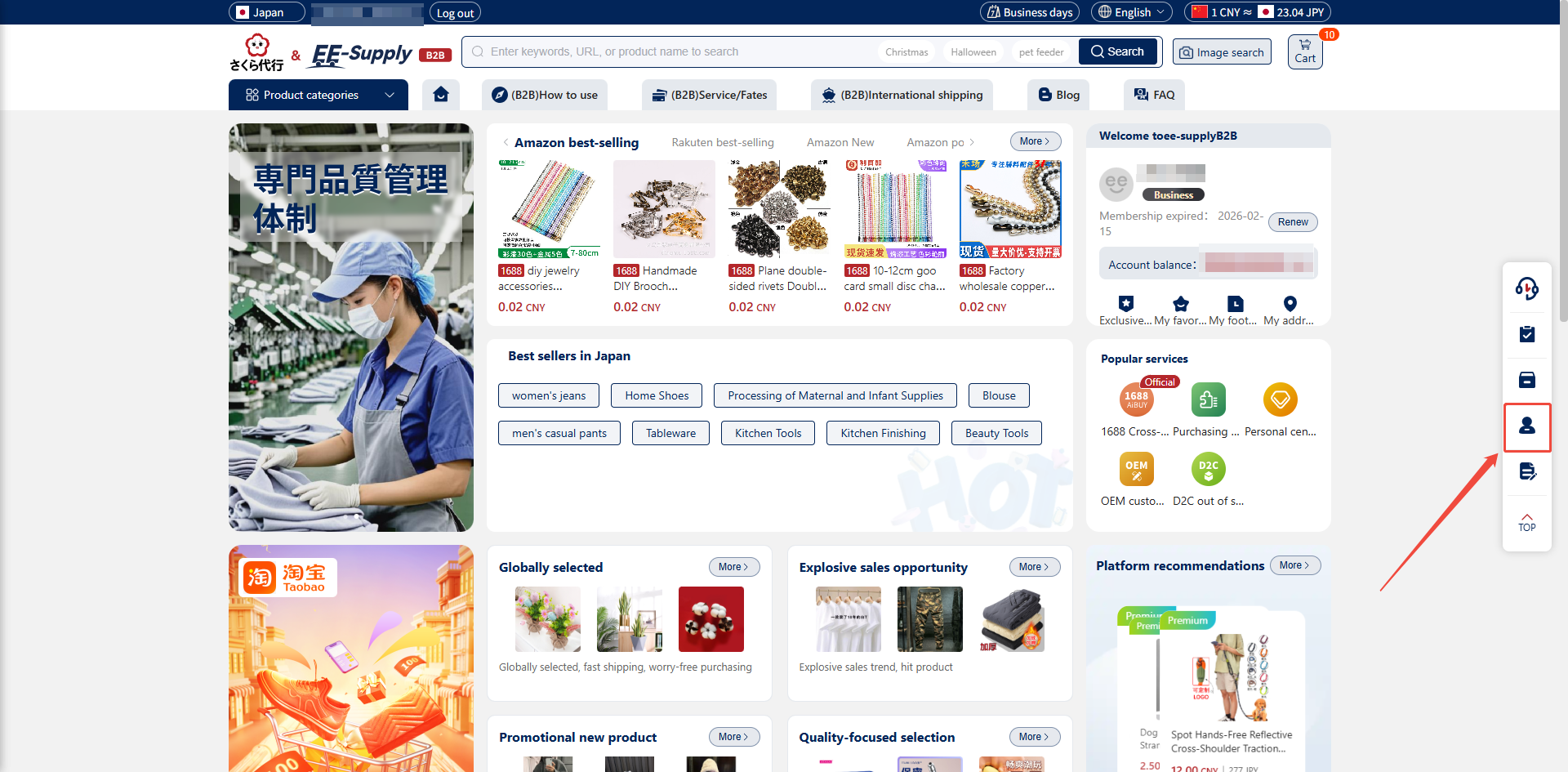
Step 2: Review Stage
1. Shipment enters review: Newly created shipments enter the review stage, where a dedicated account manager will review them.
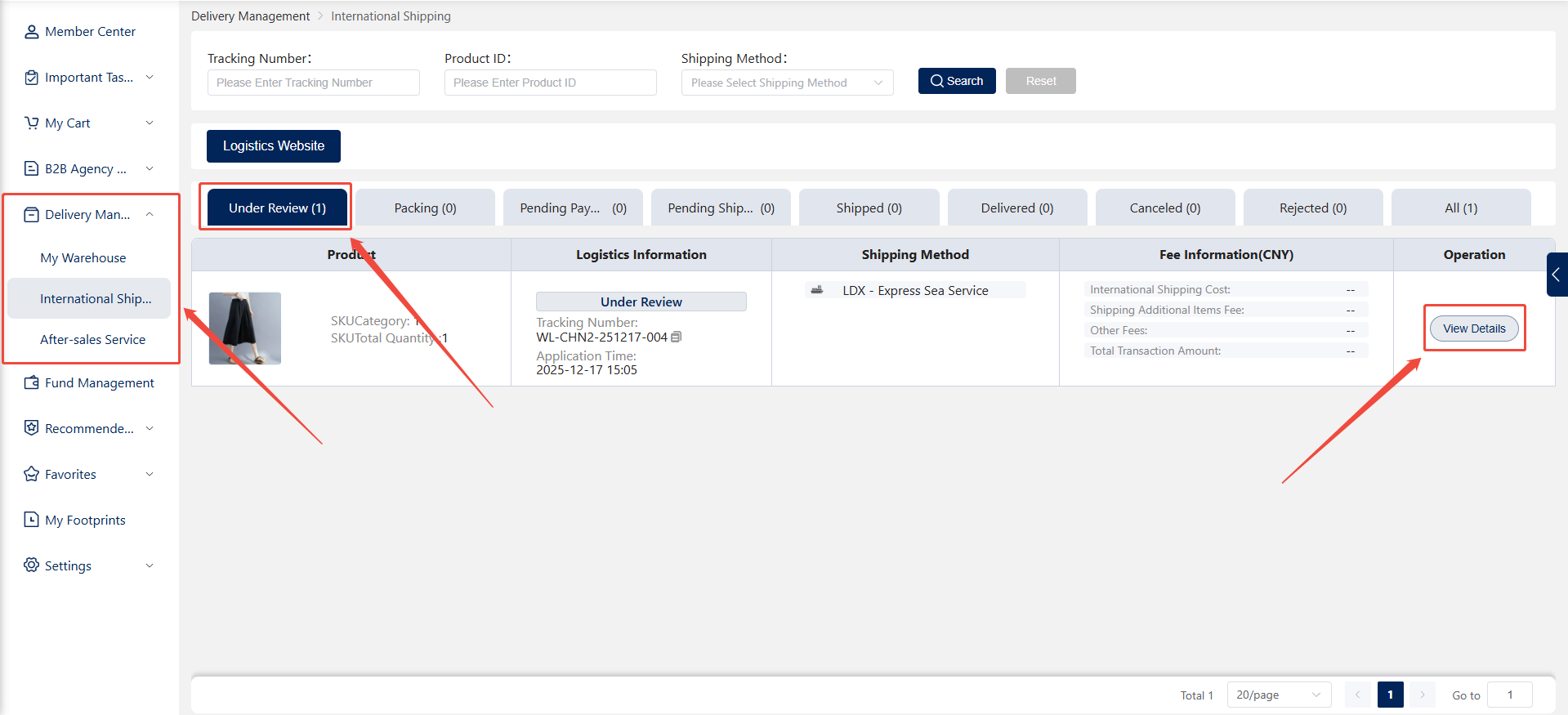
2. Customer modification actions: Customers may modify shipping orders during the review phase, such as adding items, removing items, or canceling the order.
Review Outcome:
Approved: The shipment proceeds to subsequent processing.
Review Rejected: Status changes to "Rejected." The customer can view the specific reason for rejection.
Shipping order canceled: Status changes to "Canceled".
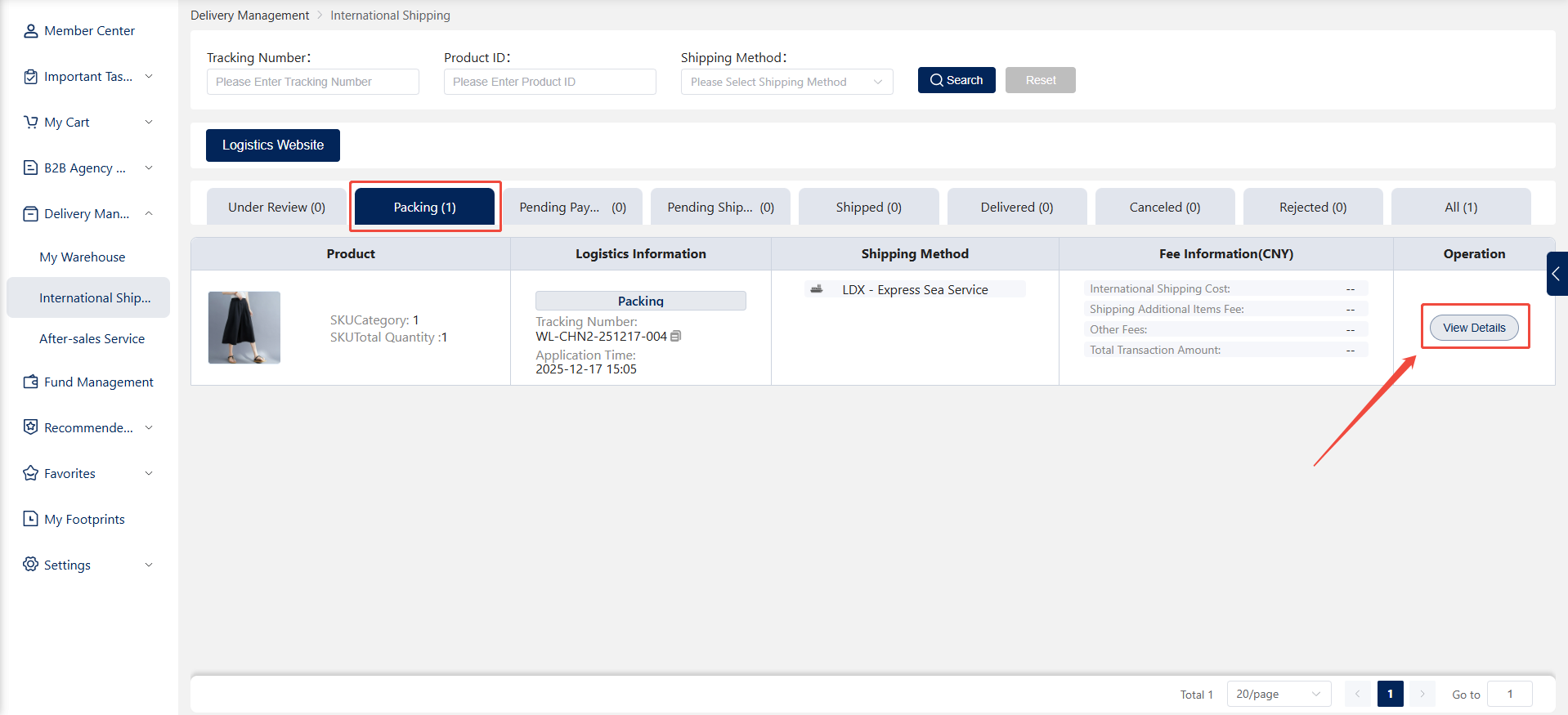
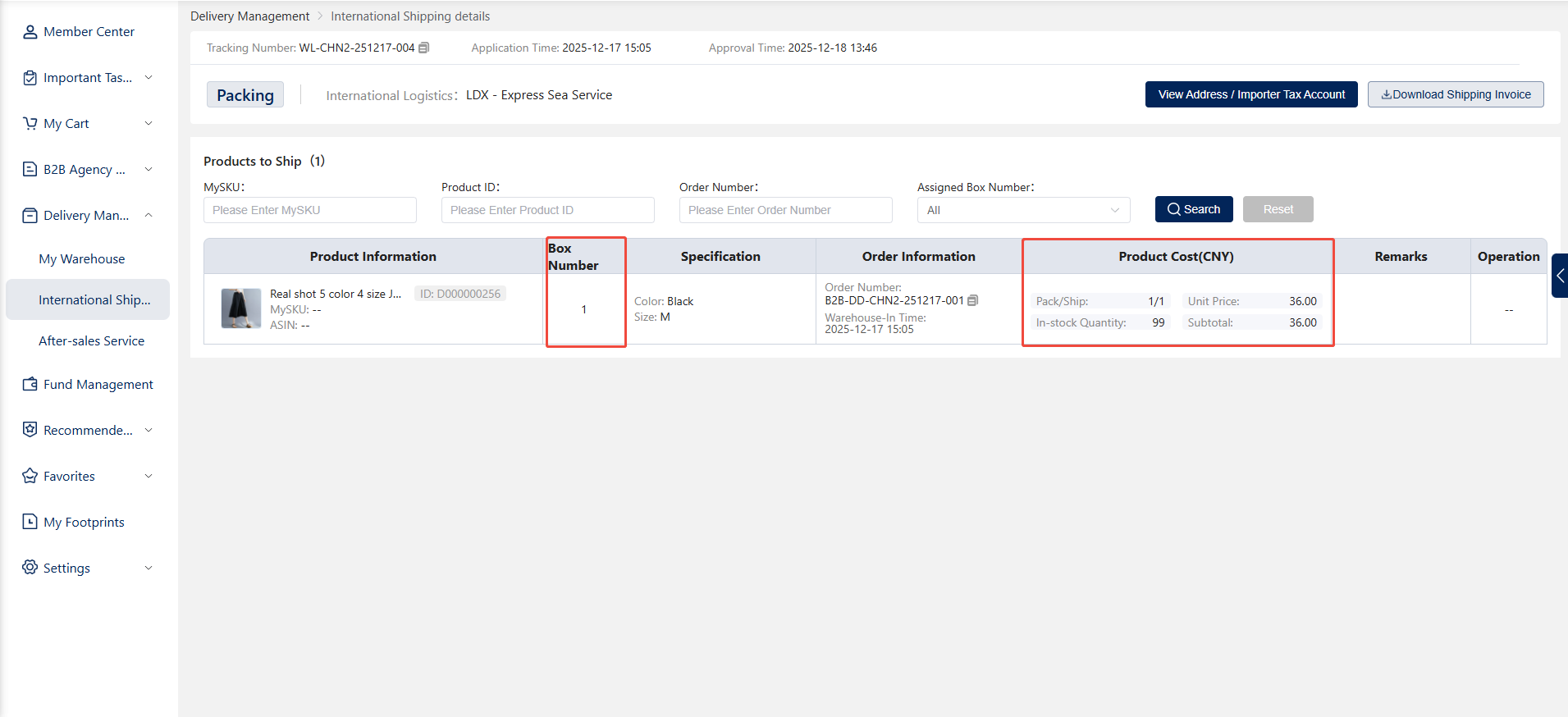
Step 3: Packing in Progress
1. After sales representative approval: The shipping order enters the "Packing in Progress" status, and the sales representative arranges for packing personnel to pack and box the goods according to requirements.
Step 4: Payment Pending
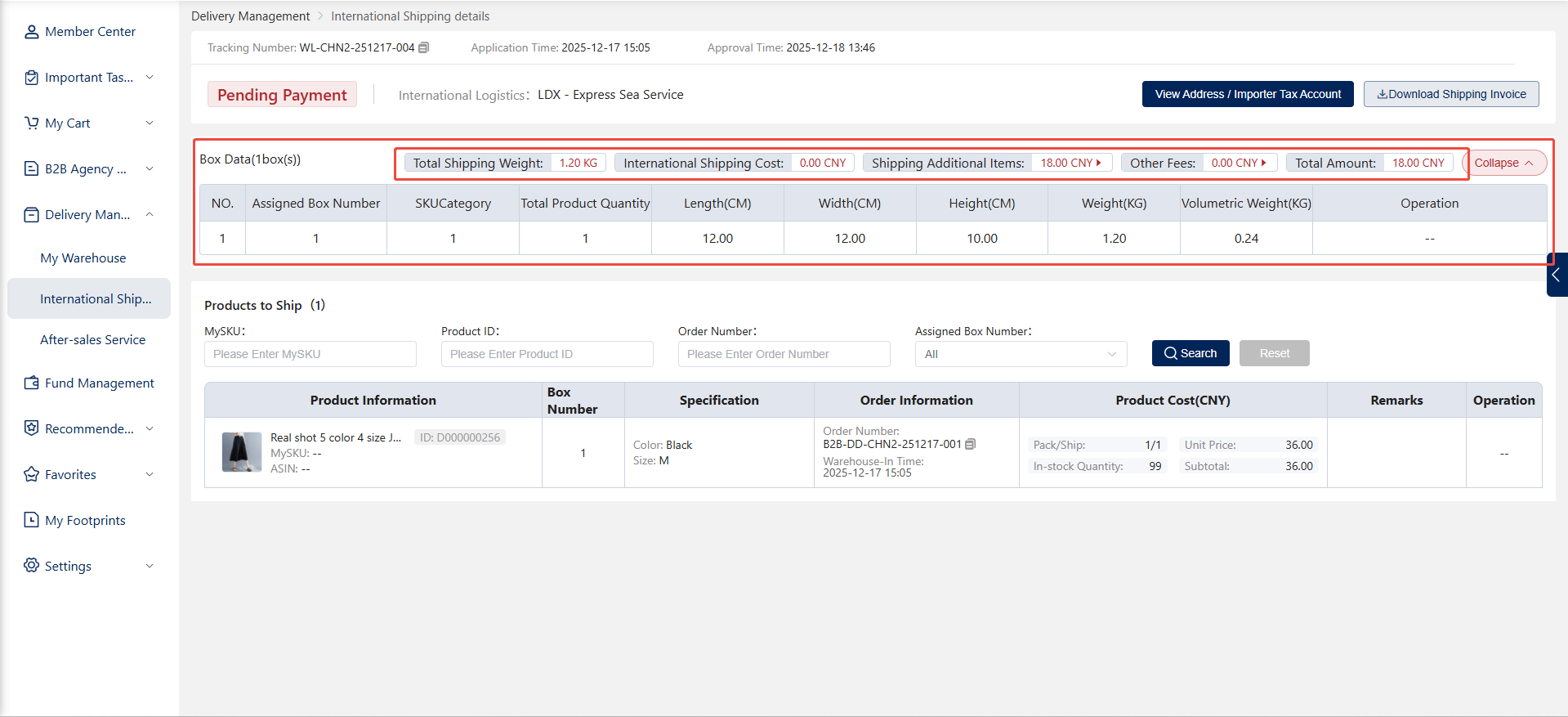
1. Packing Complete: After goods are packed, the shipping order enters the payment pending stage.
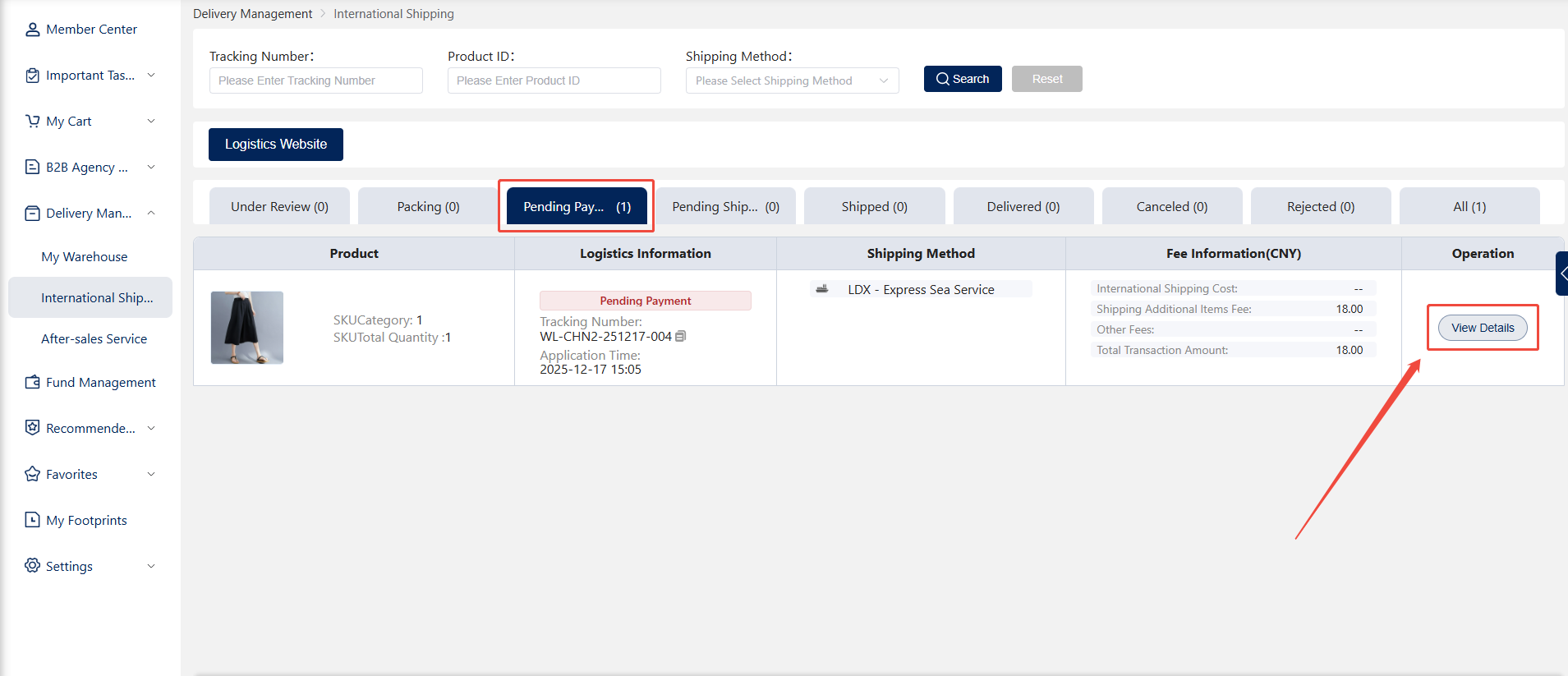
2. Payment Confirmation: The sales representative deducts the actual costs (packing add-ons and logistics fees). The customer must ensure sufficient account balance.
Step 5: Pending Shipment
1. Payment Successful: Upon payment completion, the shipping order enters the "Awaiting Shipment" status.
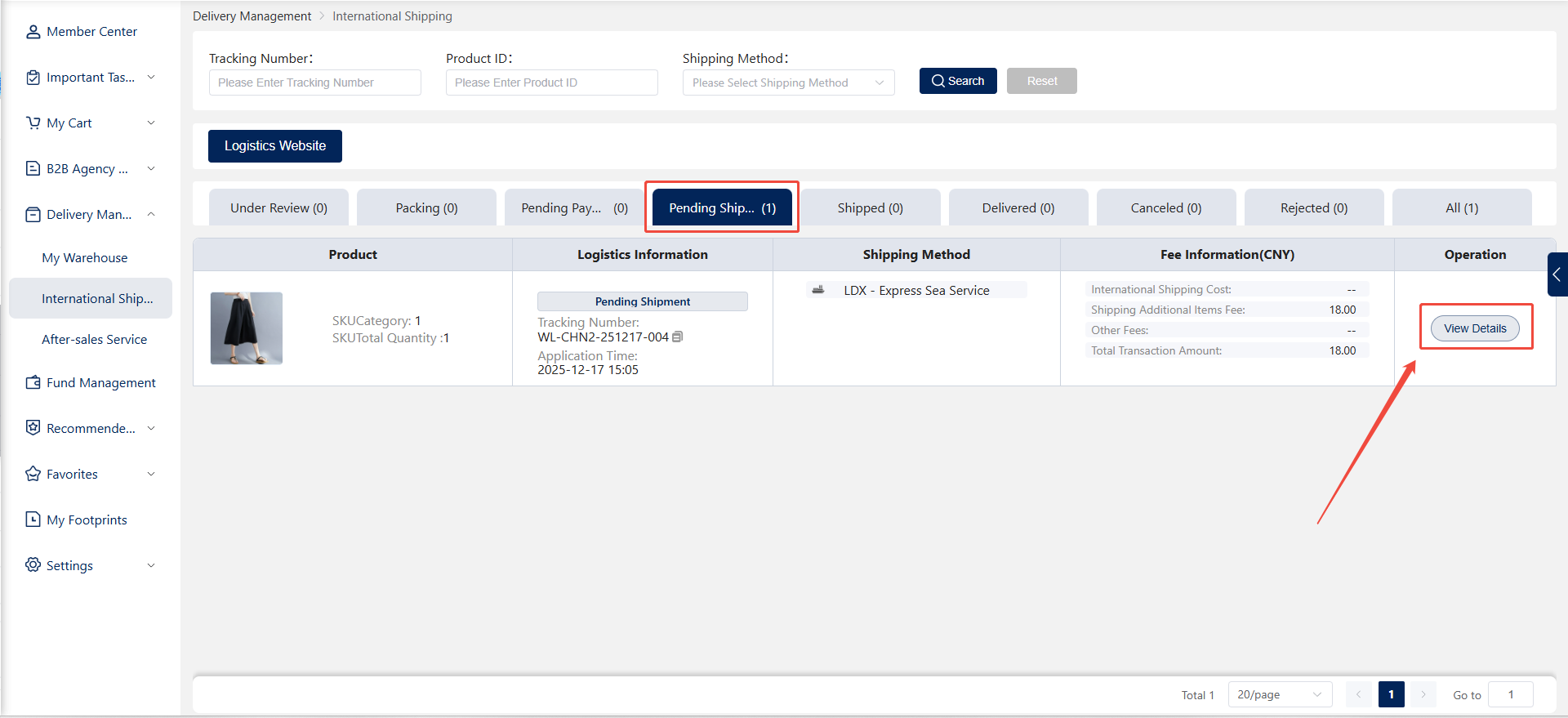
2. Shipping Arrangement: The sales representative arranges for professional personnel to ship the goods based on the selected logistics method.
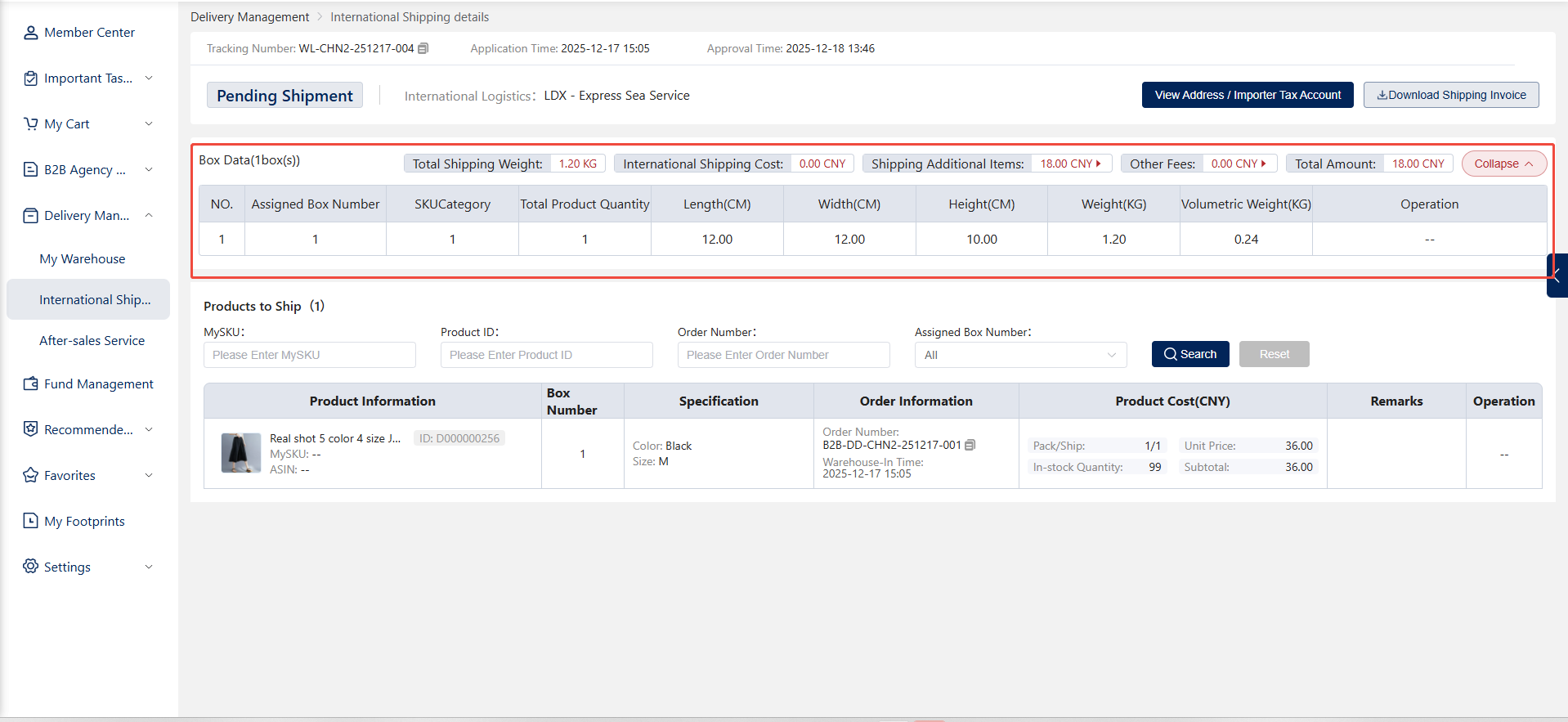
Step 6: Shipped
1. Logistics Shipment: The professional staff ships the goods and enters the tracking number, updating the shipment status to Shipped.
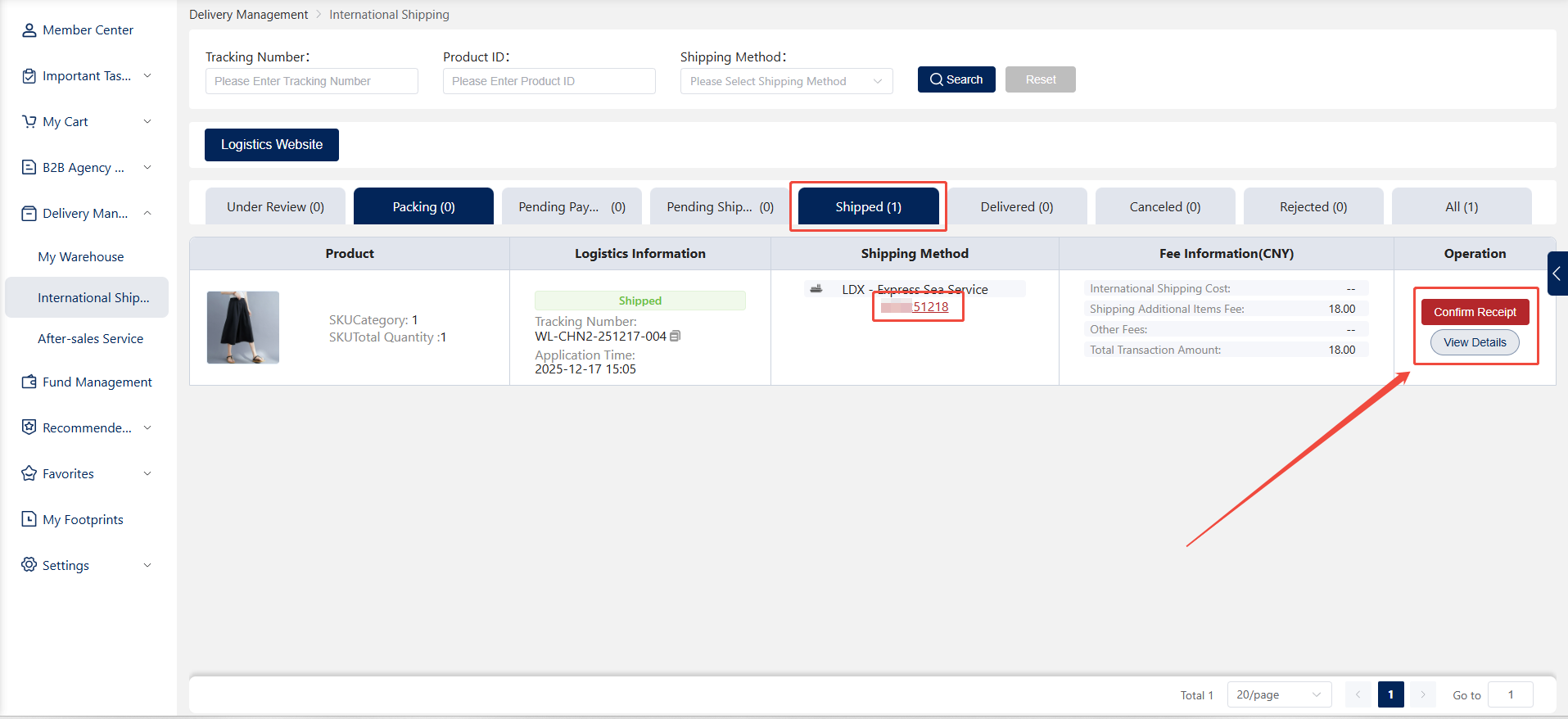
2. Real-Time Tracking: Customers can view logistics tracking information through the system to monitor shipment progress and delivery status.
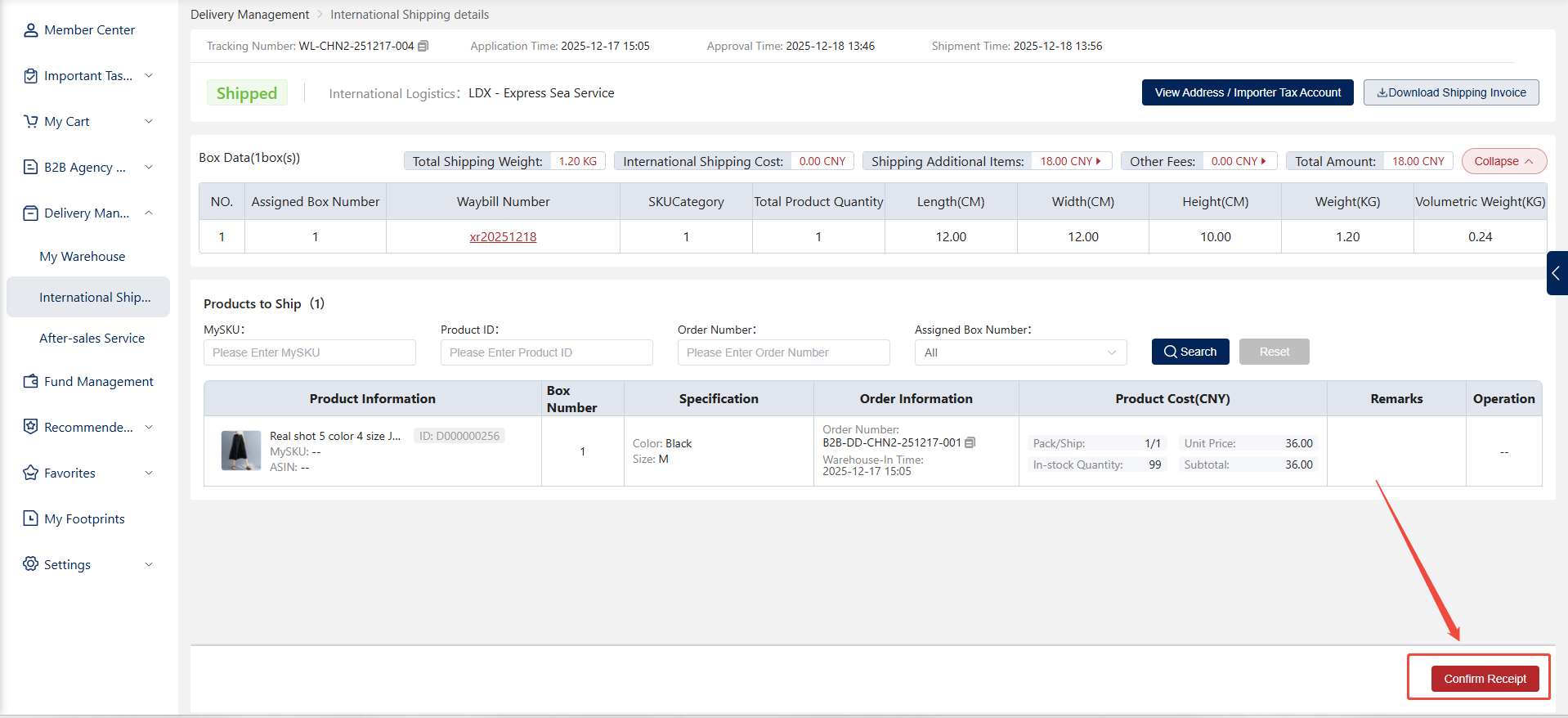
Step 7: Delivered
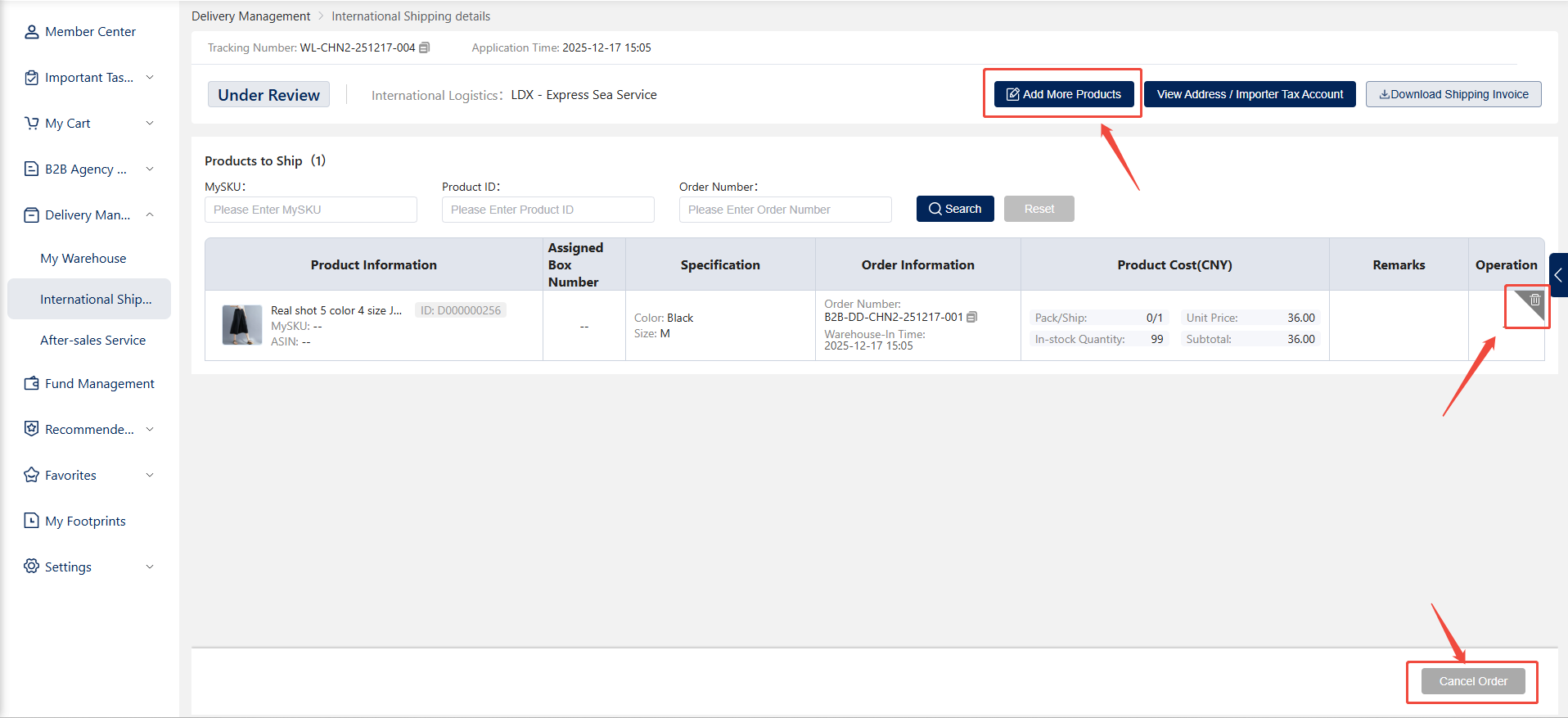
1. Goods Received: After the customer receives and signs for the goods, the shipping order enters the "Delivered" status.
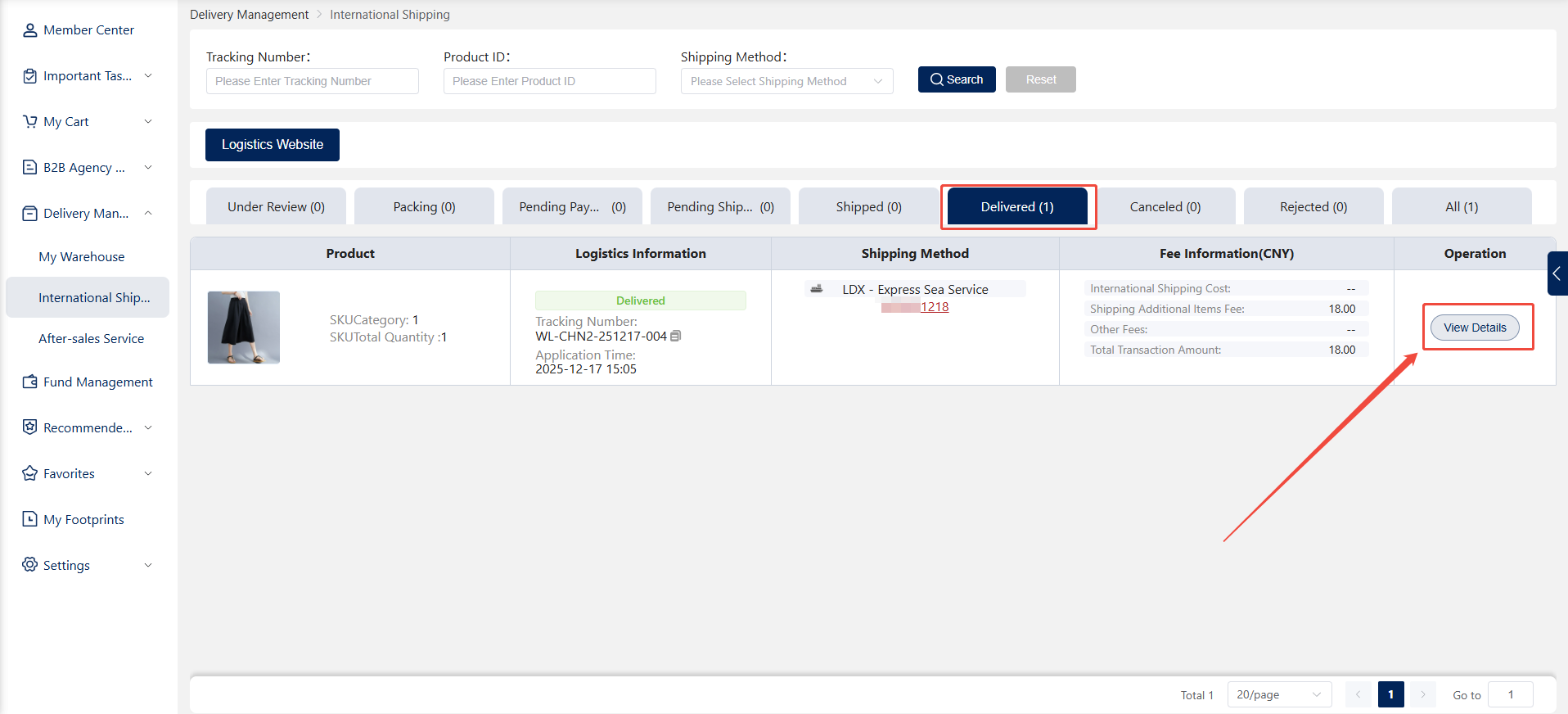
2. After-Sales Service: Customers may request after-sales service for quality or other issues.