


Product Report Add-on
When you select the "Product Report" add-on, our platform operators will measure the dimensions and photograph your items upon arrival at the Hubbuyer warehouse. The product dimension details and photos will be sent to you immediately via the platform, providing you with a clear understanding of the specific characteristics of your purchased items.
Measurement Add-on
When you select the "Measurement" add-on, the product's dimensional information will be provided to you after measurement. This add-on is suitable for products that do not require photographic confirmation. It is a more streamlined option, focused solely on delivering the product's size data.
Next, we will provide detailed instructions on how to select the "Product Report" and "Measure Dimensions" add-ons.
Selecting Add-ons
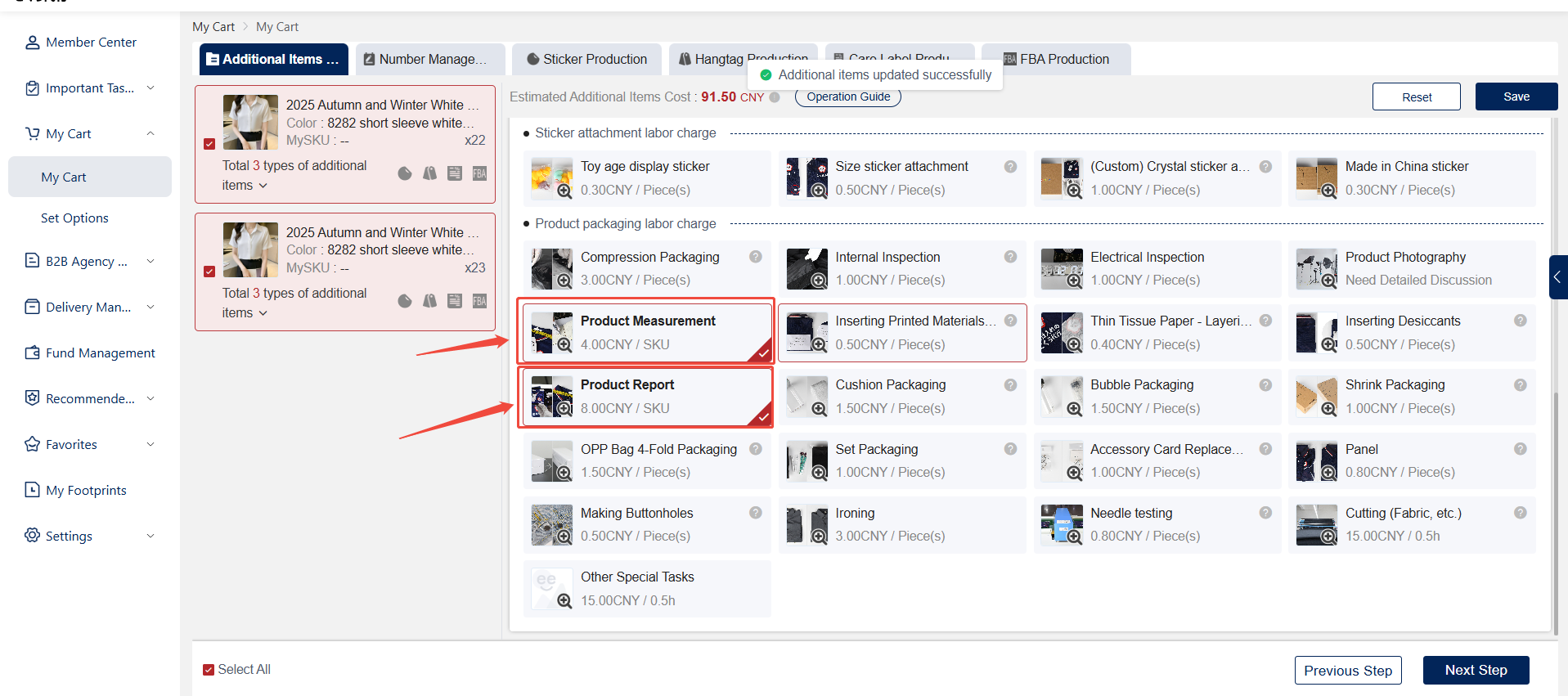
During the add-on selection stage of placing your order, choose either the "Measure Dimensions" or "Product Report" add-on, click "Save," and proceed with the normal ordering process.
Viewing Reports
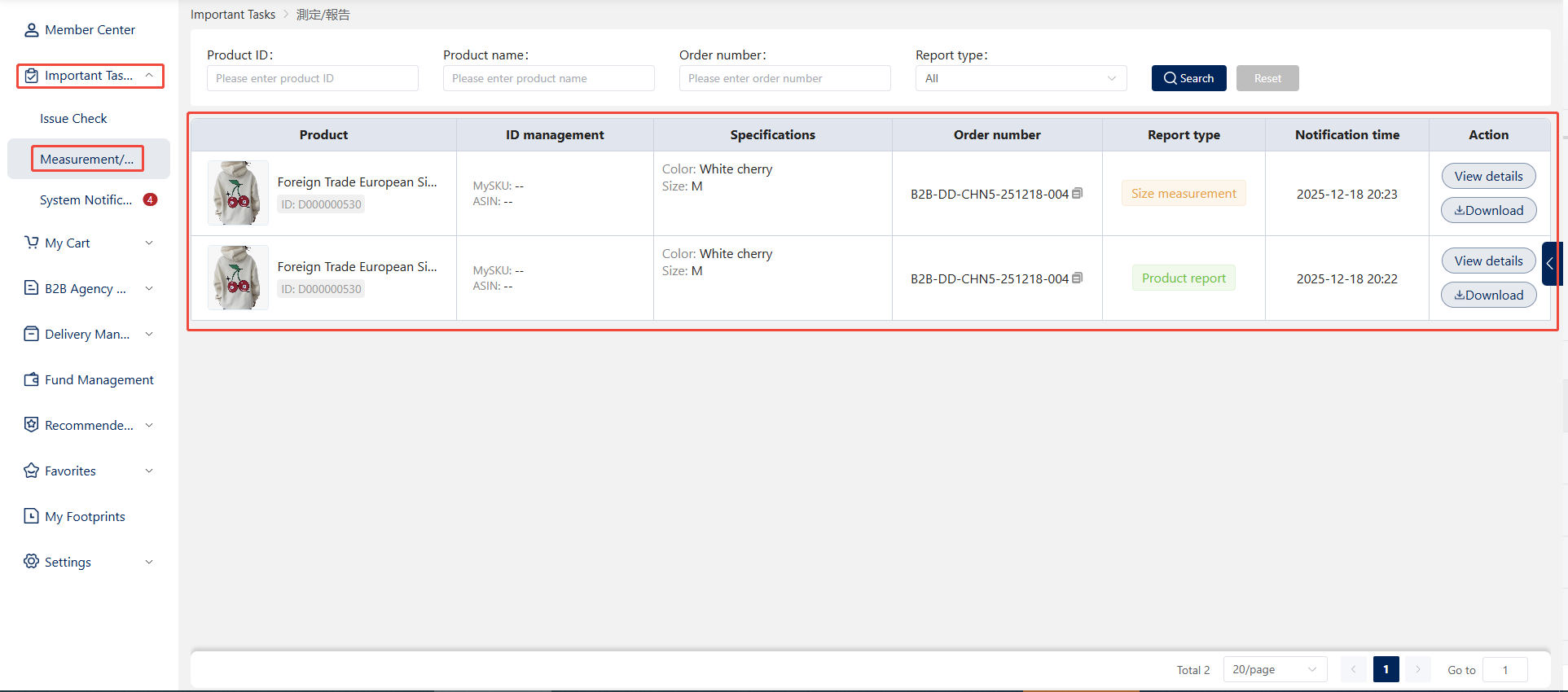
1. After Hubbuyer procures the goods, the product report or measurement will be displayed for the client.. Users can access detailed product reports or measurement information by navigating to [Personal Center] > [Important Notices] > [Measurement/Report], then clicking the "View Details" button on the right.
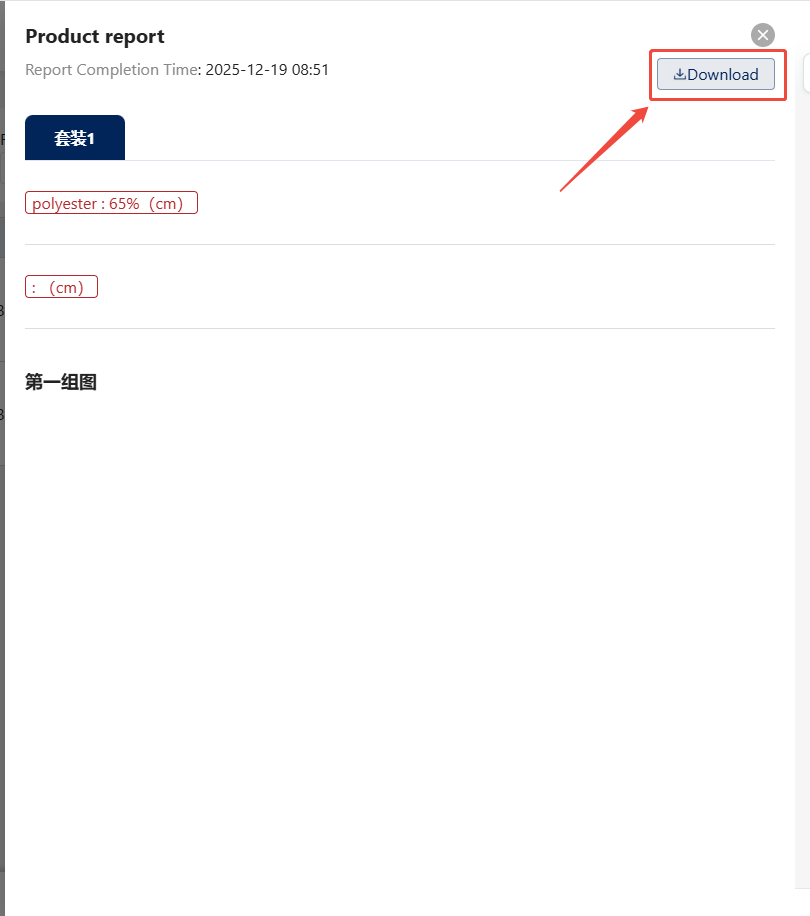
2. In the details pop-up window, a download function is provided. Click the "Download" button in the upper right corner to save the report information to your computer.
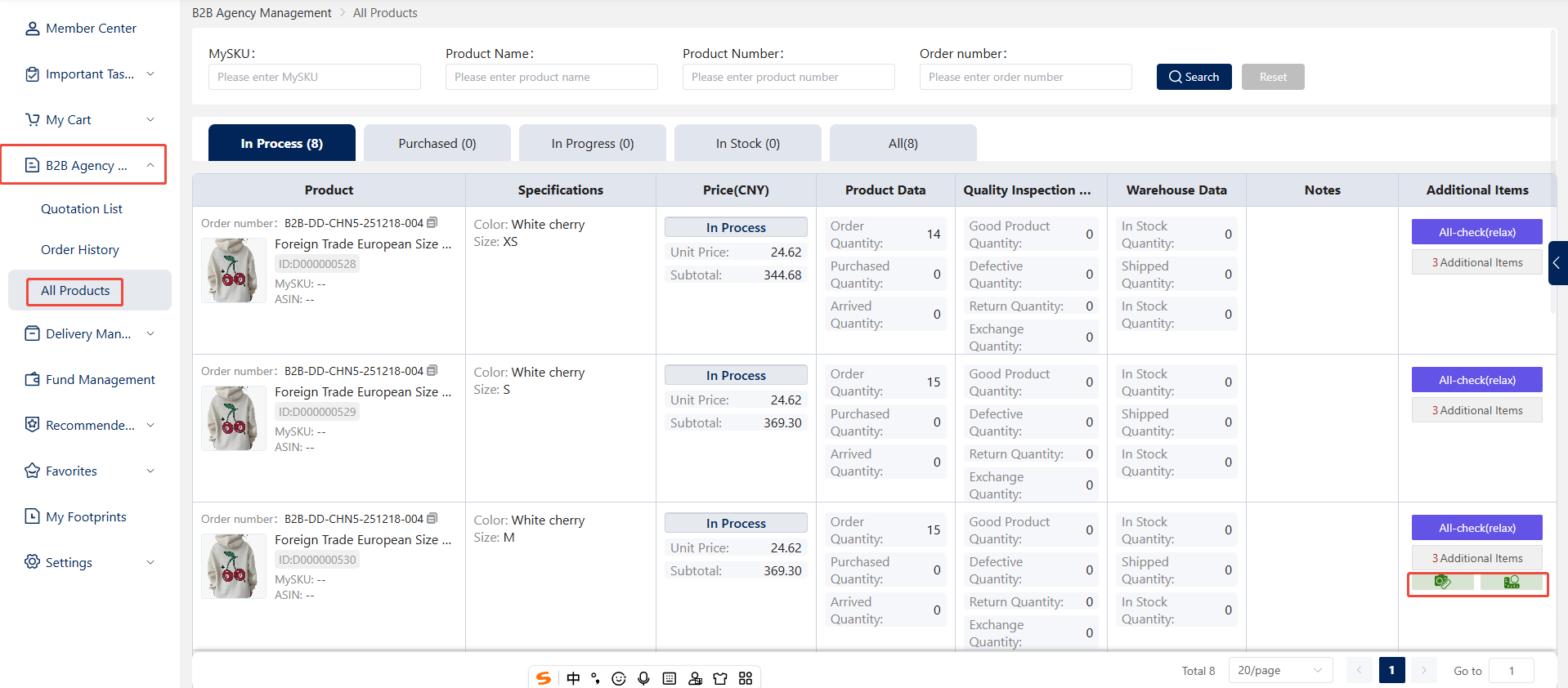
3. In addition to viewing reports as described above, users can also locate the corresponding product on the [Personal Center] > [B2B Agency Management] > [All Products] page. Click the Product Report or Measurement button in the Additional Items column on the right to view detailed information.