


1.Access the International Shipping Interface
1.1.Log in to the system: Go to the main system page and click "Personal Center" in the right-hand navigation.https://auth.hubbuyer.com/sign/in
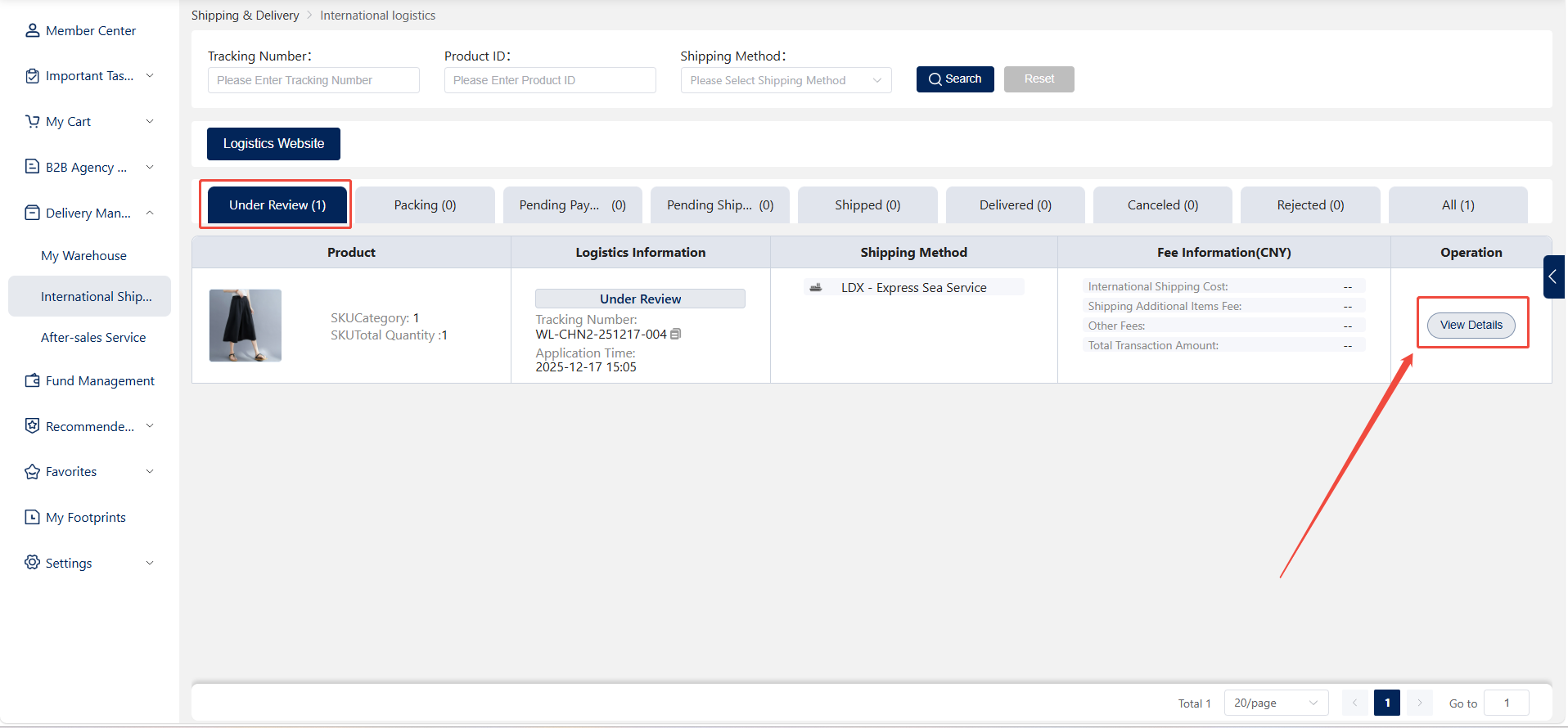
1.2.Access the International Shipping Interface: In Personal Center, select "Shipping & Distribution" > "International Shipping" to view newly created and historical shipping orders.
2.Cancel the shipping order
2.1.Cancellation during review stage
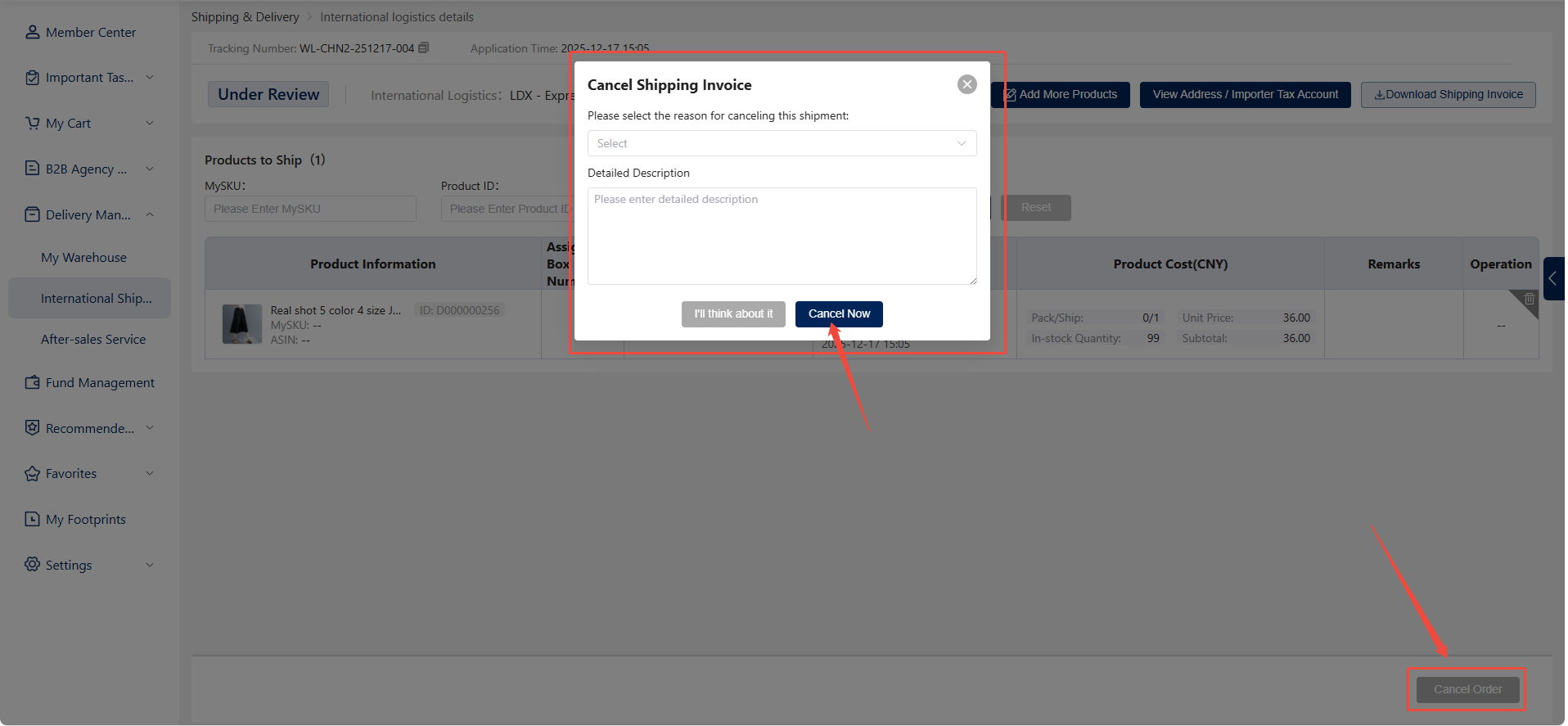
If the shipping order remains in the review stage, the customer may cancel it directly. At this point, the sales representative has not yet initiated the review process, allowing the customer to freely modify the shipping order details or cancel the order during this stage.
Reason for Cancellation Required: When canceling a shipping order, the system requires the customer to provide a reason for cancellation.
2.2.Cancellation After Approval
If the shipping order has passed review and entered subsequent processes (e.g., packing, pending payment), customers cannot cancel it independently.
Contact Your Dedicated Account Manager: In this case, customers must contact their dedicated account manager to request cancellation. Please note that cancellations under these circumstances may incur fees, which depend on the order's current status and processing progress.