

1.Log in to the system
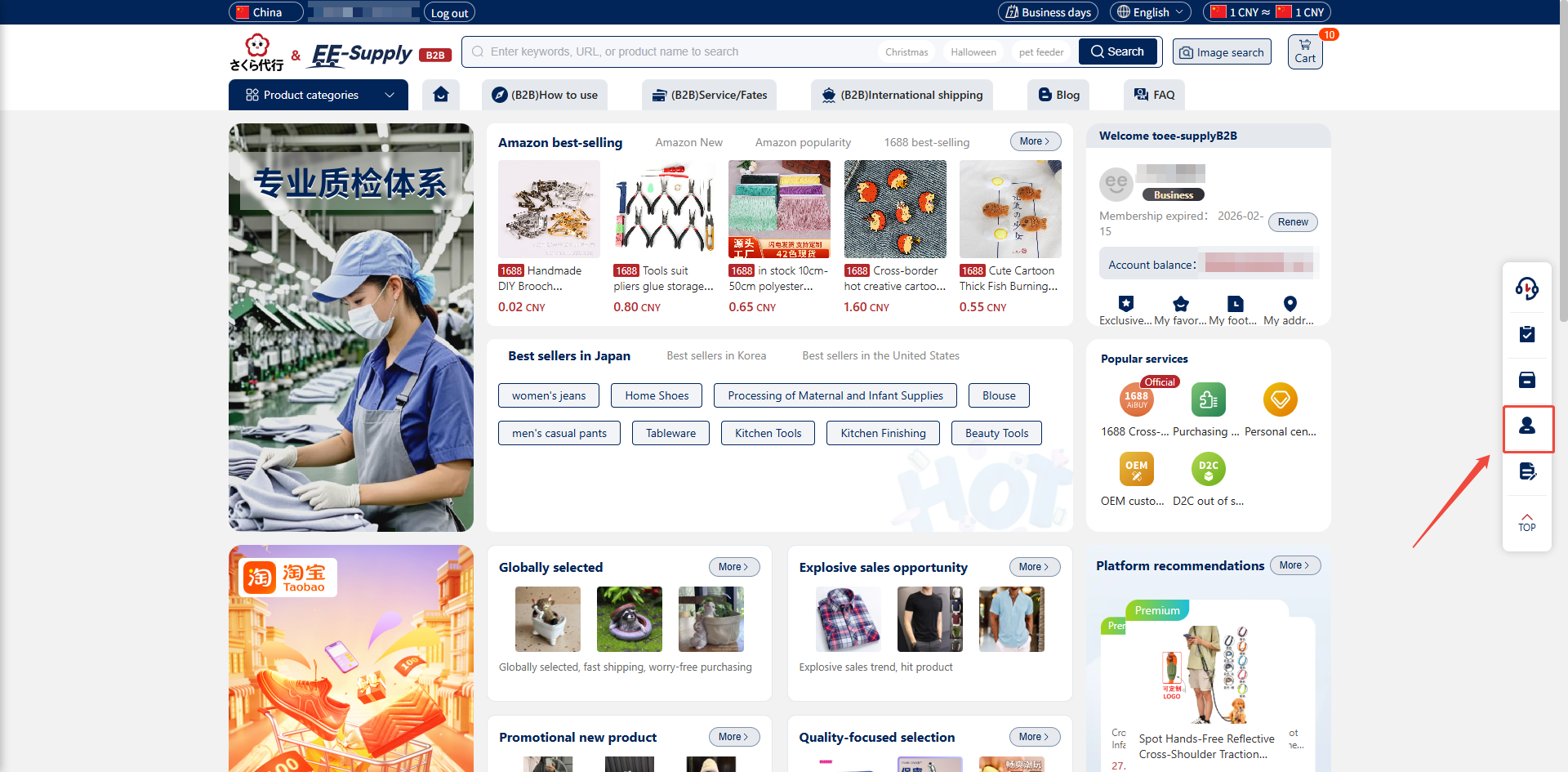
1.1.Open the Hubbuyer platform and log in with your account credentials. https://b2b.hubbuyer.com/
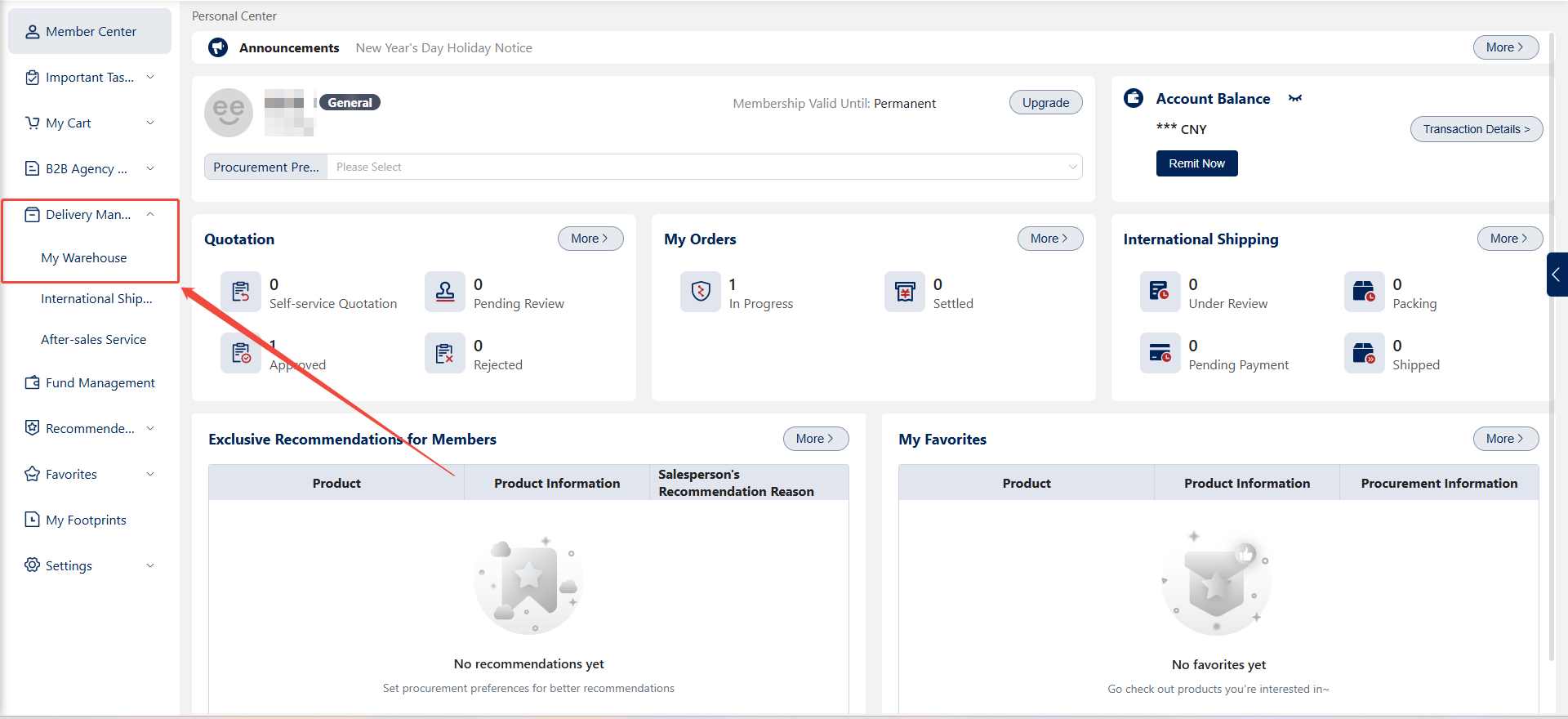
1.2.On the main page, click "Personal Center" in the right navigation menu. In the Personal Center, select the "Shipping & Distribution - My Warehouse" interface.
2.Select Items for Shipment
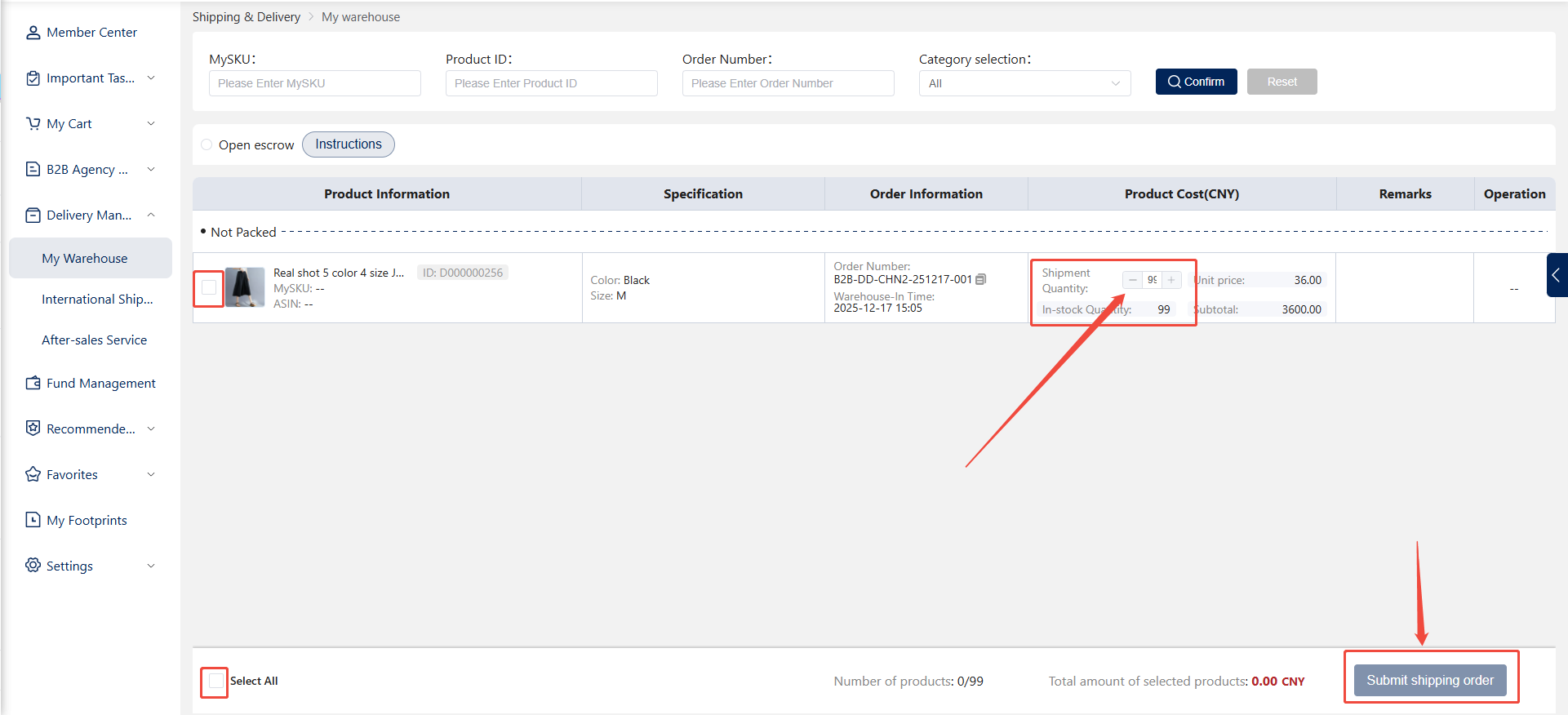
2.1.In My Warehouse, check the boxes next to the items you wish to ship.
2.2.The product list displays three formats: boxes, parcels, and individual items. When selecting boxes or parcels, you cannot specify the shipping quantity; however, you can specify the shipping quantity for individual items.
2.3.After confirming the items to ship, click "Submit Shipping Order."
3.Select the Delivery Address and Customs Duty Payment Method
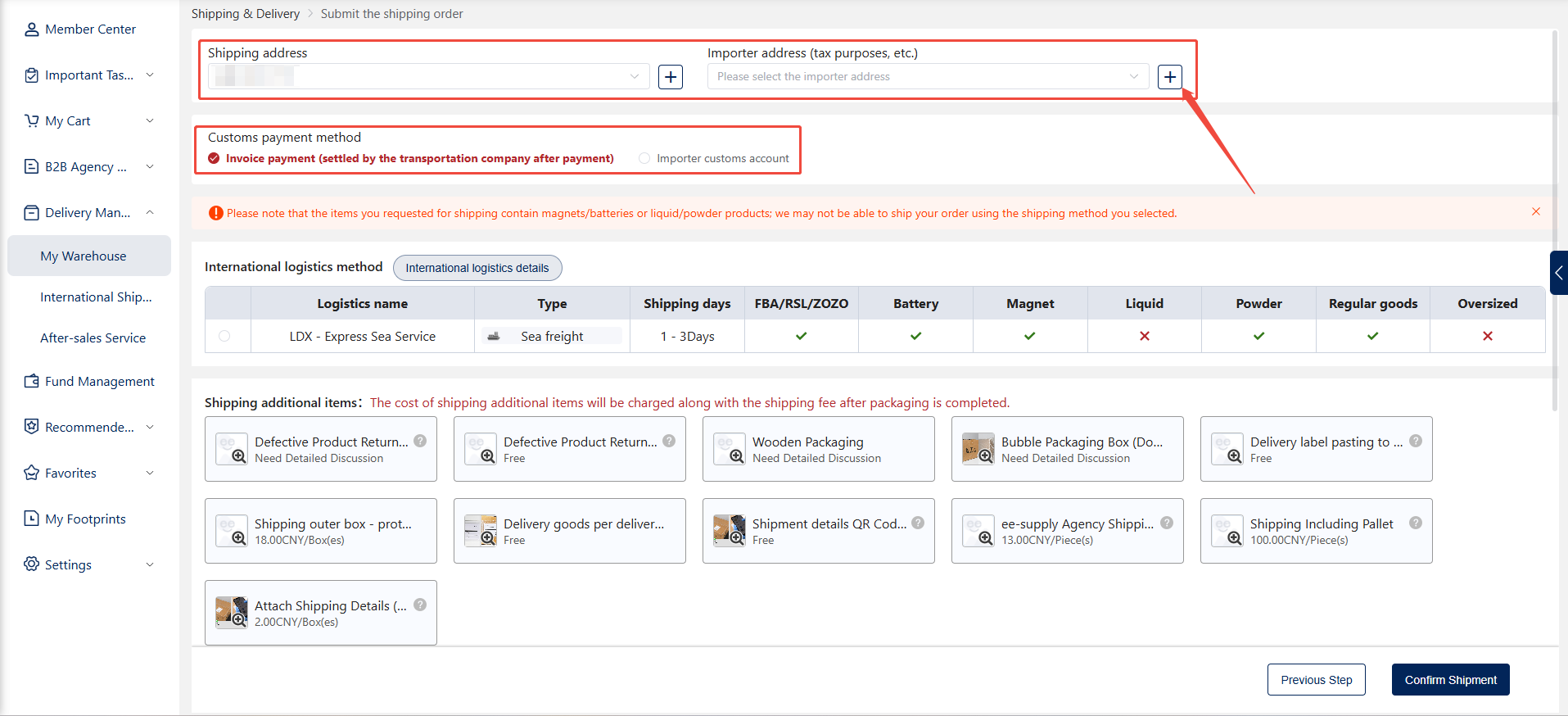
3.1.Locate the "Recipient Address" option at the top of the shipping order details page.
3.2.Select the delivery address and importer address, or modify the current delivery address. The default address is selected by default. You can click the plus icon to the right of the address field to add, modify, or select a new address.
3.3.Select the customs duty payment method. If choosing an importer's customs duty account, a customs account field will appear on the right. Click the plus icon next to the customs account field to add, select, or modify customs account information.
4.Select Logistics Method
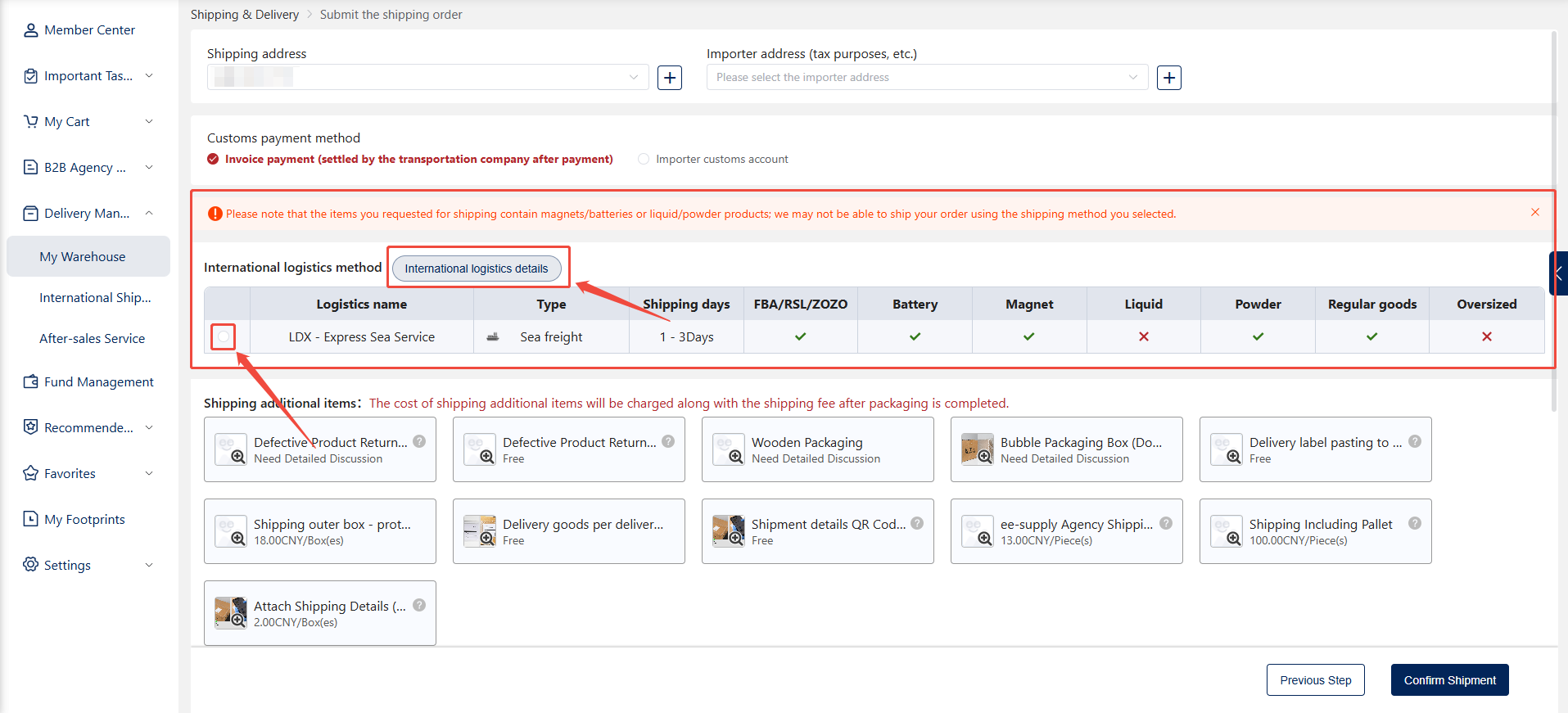
4.1.In the International Logistics section, the Hubbuyer platform offers multiple shipping methods, displaying each method's transit time and suitability for specific requirements (e.g., FBA, RSL, ZOZO) for customer selection.
4.2.Ensure the selected items meet shipping requirements based on their type, especially for special categories like liquids or powders. Choose the appropriate logistics method according to each product's specific shipping needs.
4.3.Clicking the "International Logistics Details" button redirects to the intelligent service/cost calculation interface developed by the Hubbuyer platform.
5.Review and Select Shipping Add-ons
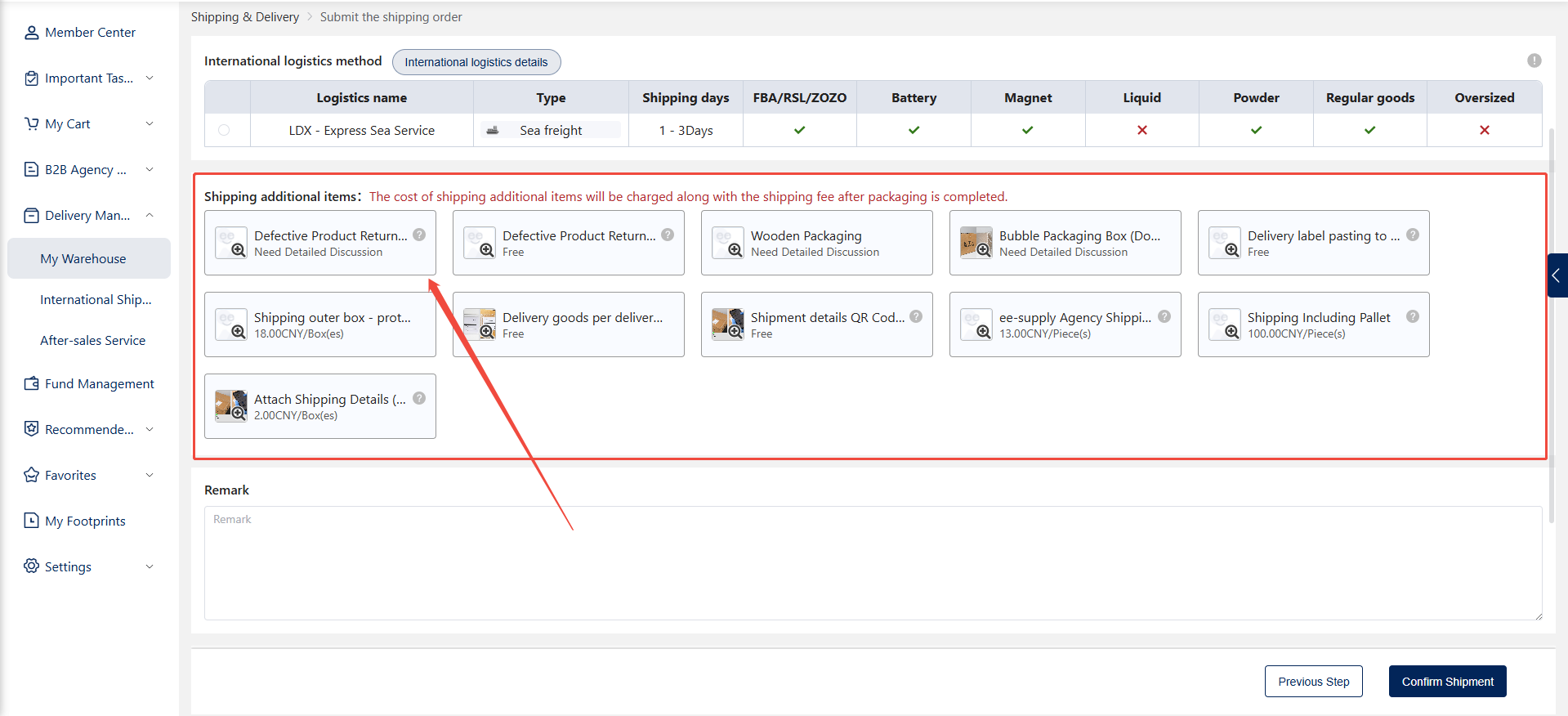
5.1.In the Shipping Add-ons section, select suitable additional services as needed.
5.2.The cost of each add-on will be displayed on the interface, ensuring you are aware of any additional expenses.
5.3.The system will automatically calculate the total cost of add-ons. These fees will be charged together with the shipping cost after packaging is completed. Confirm all details, including product quantity, packaging requirements, and shipping method, to ensure transparent shipping costs.
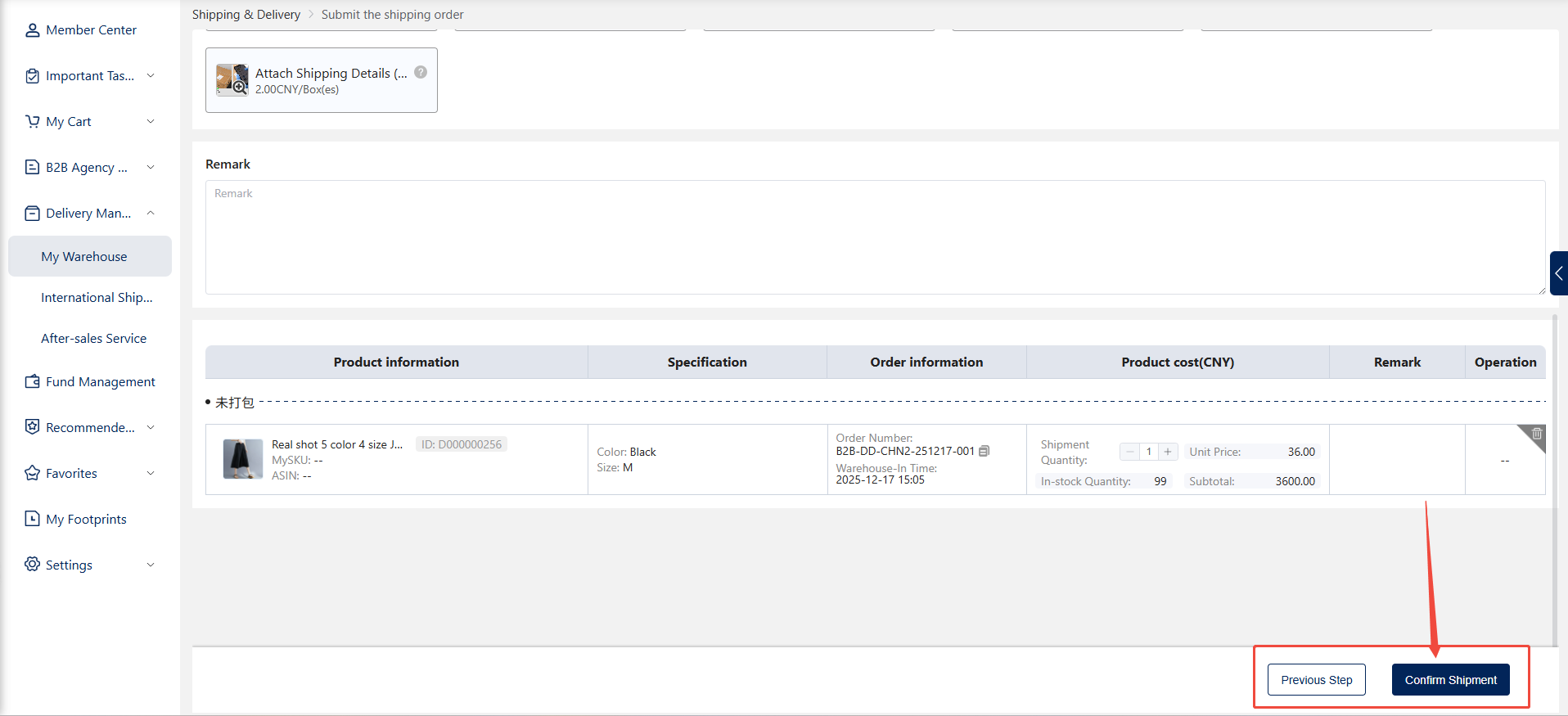
6.Enter Remarks
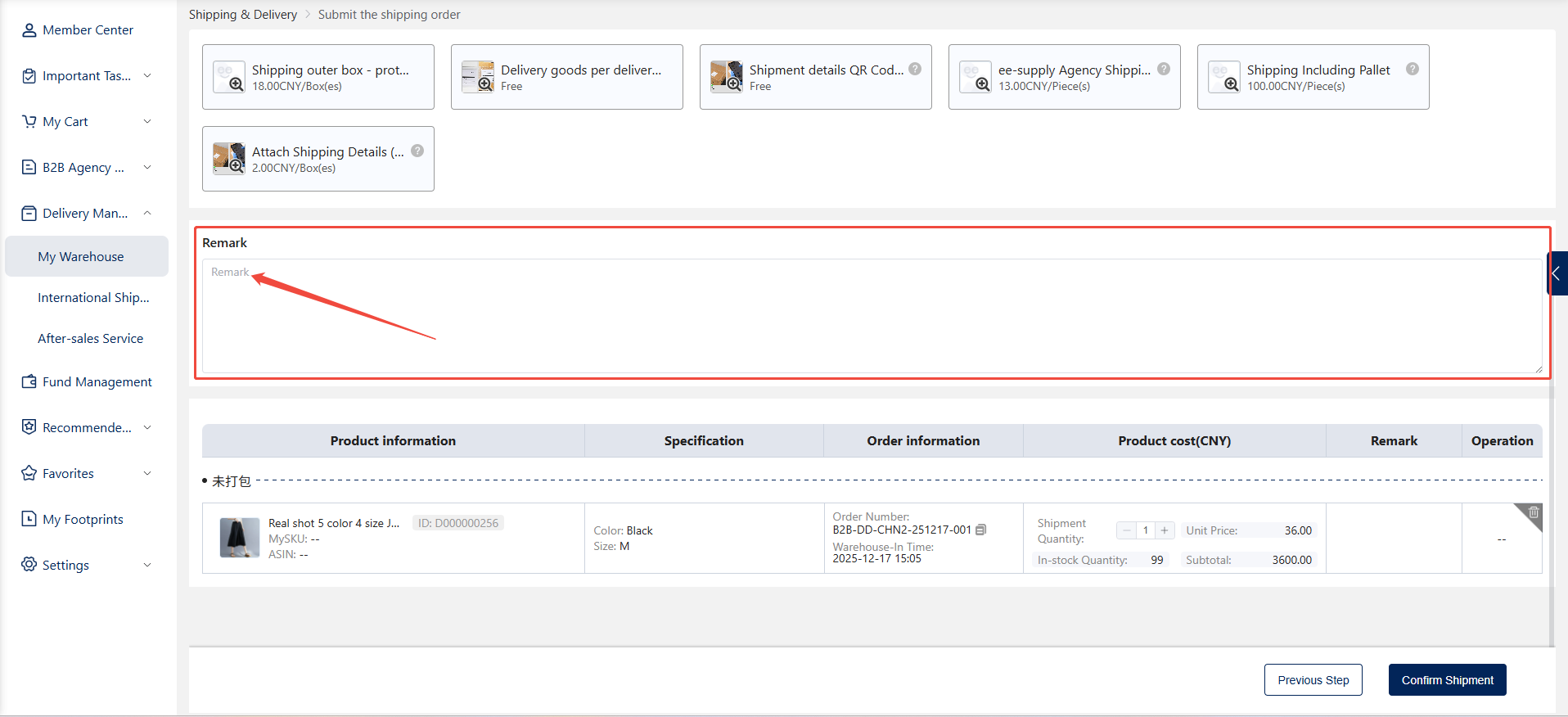
In the notes section, enter any special instructions or considerations related to the shipment. Examples include: customer-specific requests, packaging requirements, or other logistics-related directives.
7.Selected Items List
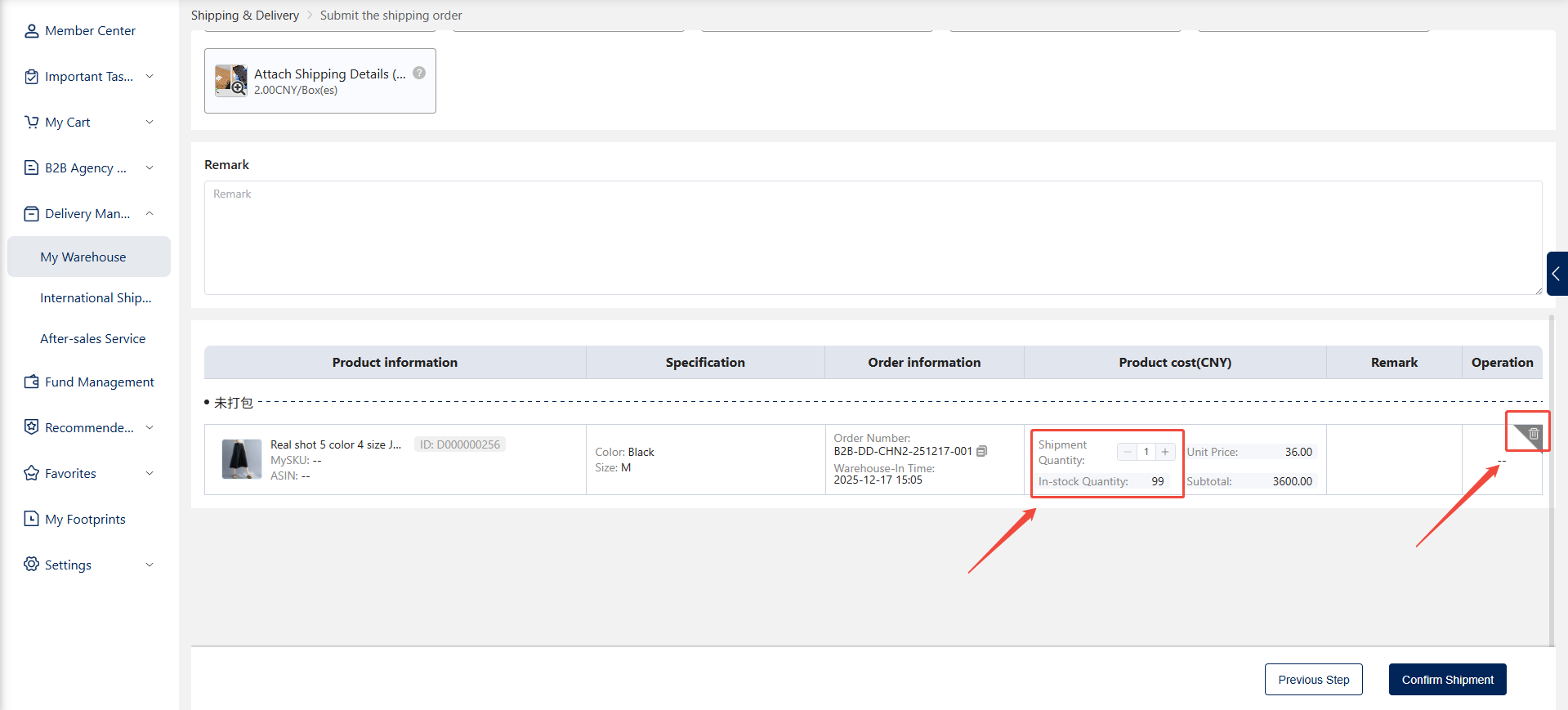
7.1.In the Selected Items List, you can remove boxes, packages, or items, or modify the shipping quantity of items.
7.2.Review and confirm the items to be shipped.
8.Submit Shipment
8.1.After verifying all selections are correct, click the "Confirm Shipment" button.
8.2.The system will generate a shipping order, submit it to your dedicated account manager for review, update the shipping order status, and initiate the shipping task.