HubBuyer WeCom guide
Scan the QR code to add us and start a conversation.


 WeCom
You can also add a WeCom user manually. Follow the steps below.
-
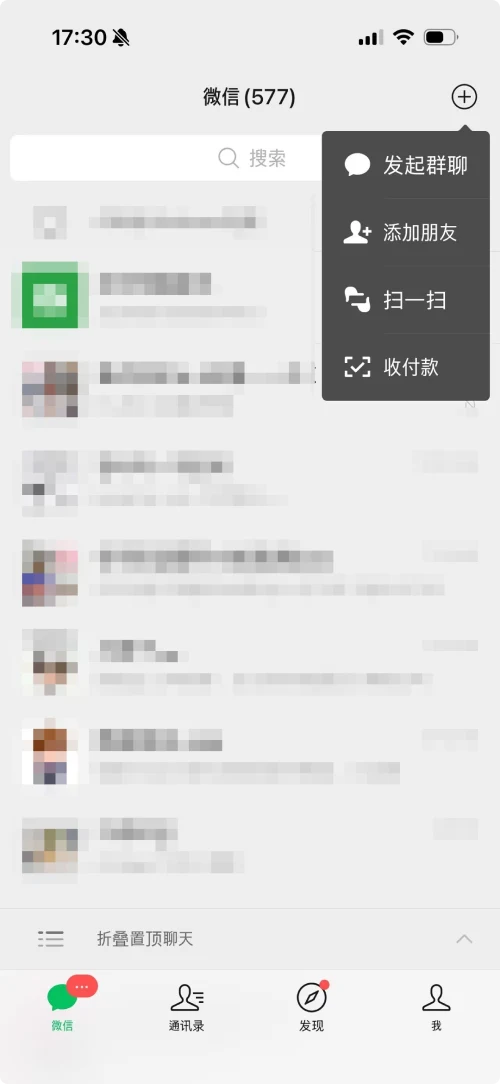
On the WeChat chat screen, tap “+” and select “Add Contacts”.
-
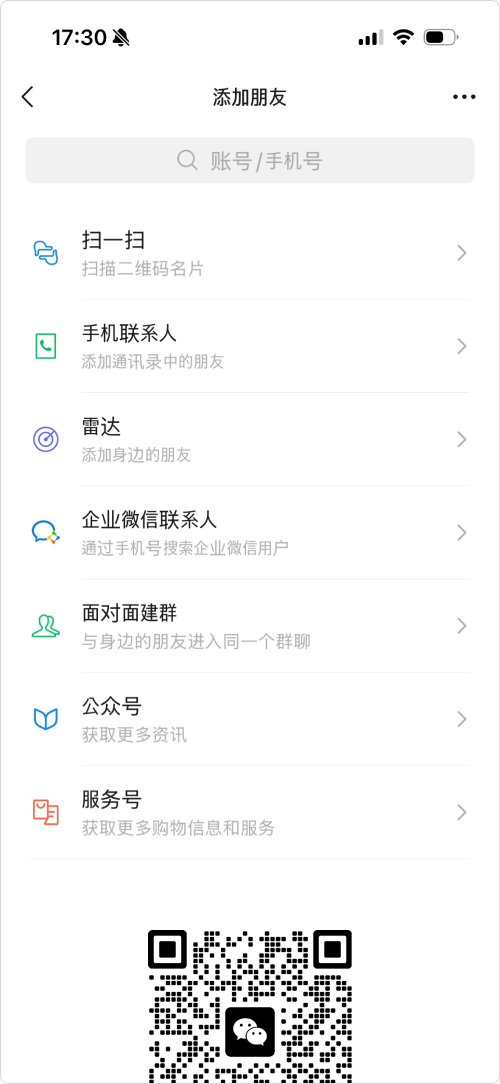
Select “WeCom Contact”.
-
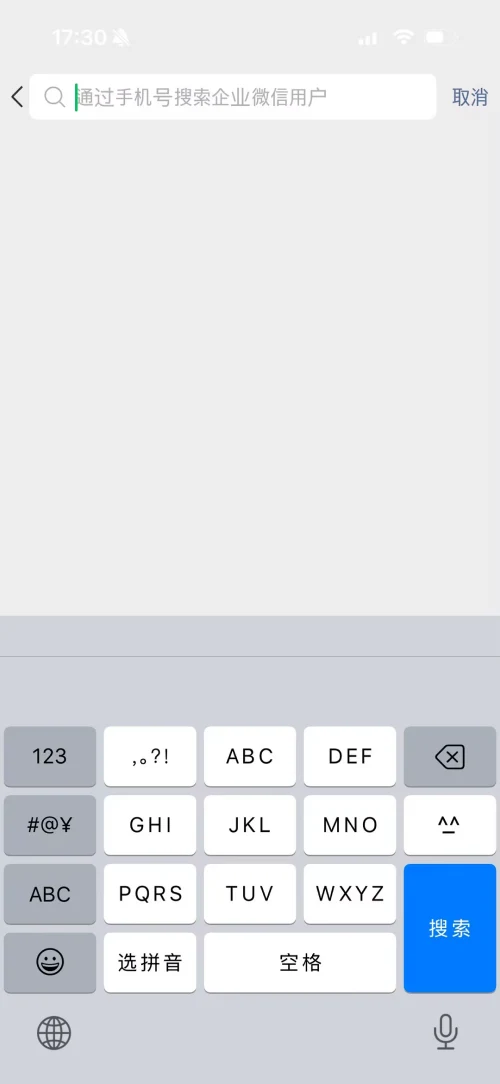
Enter the other person’s mobile number in the search field to find their WeCom account.
-
Check the account details in the results, then tap “Add to Contacts”.
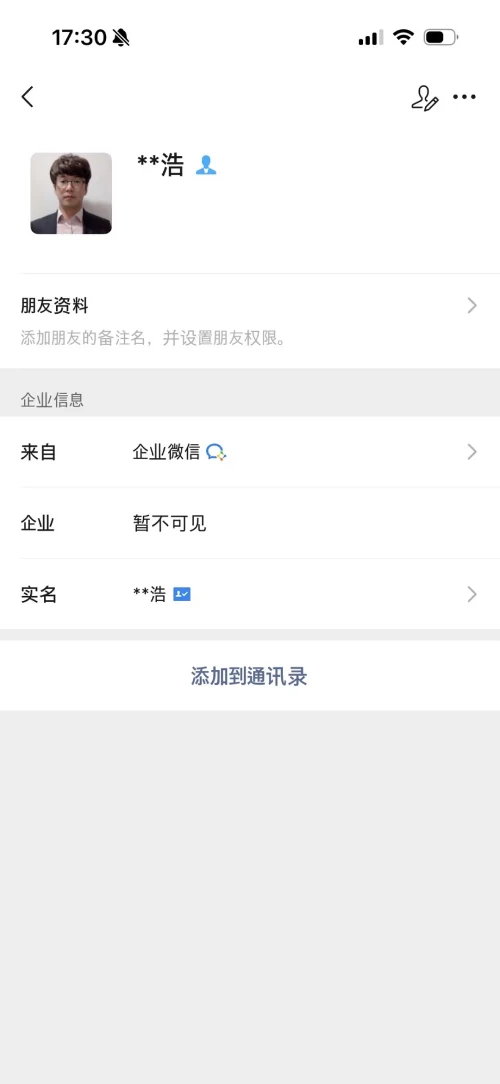
-
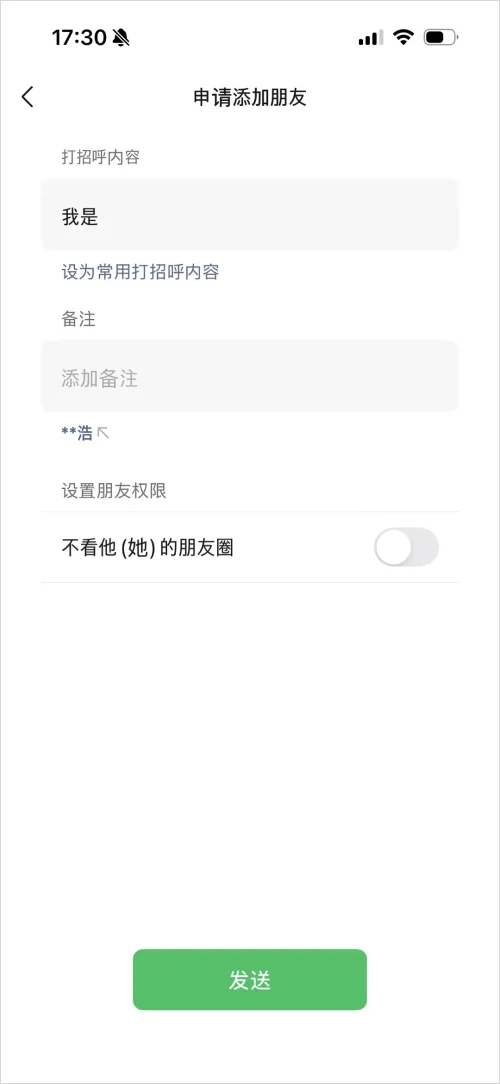
Tap “Send”. Once they accept your request, you can start a conversation.